
Finding the right study table with shelf for your work-from-home (WFH) setup is more than just an aesthetic choice; it directly impacts your daily productivity, physical comfort, and spatial sanity. If you are operating from a compact condominium in Metro Manila or a shared family home, your desk must balance storage utility with physical footprint. The ideal configuration depends on your primary workflow: standing desks favor active movement, foldable desks rescue tight spaces, and L-shaped desks accommodate heavy multitasking and multiple monitors.
Choosing the wrong desk type can lead to a cramped workspace, poor posture, or a cluttered room that makes it impossible to disconnect at the end of the day. By evaluating how you work, what equipment you use, and the physical limits of your room, you can select a desk that supports your professional goals while maintaining the harmony of your home.
Quick Guide: Matching Your WFH Workflow to the Right Desk Type
To streamline your decision-making process, it helps to categorize your daily work habits and spatial constraints. Each of the three primary desk configurations—standing, foldable, and L-shaped—serves a distinct type of remote worker. Understanding these profiles prevents you from purchasing a desk that clashes with your daily routine.
Products mentioned in this guide
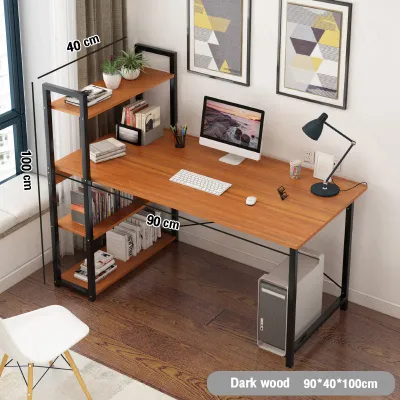
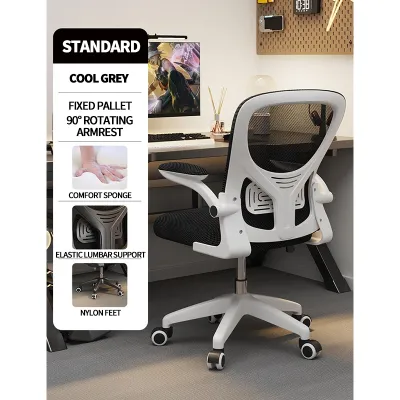
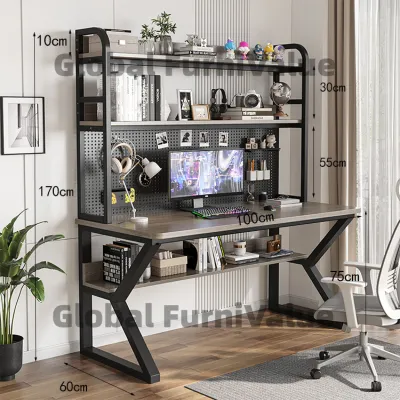
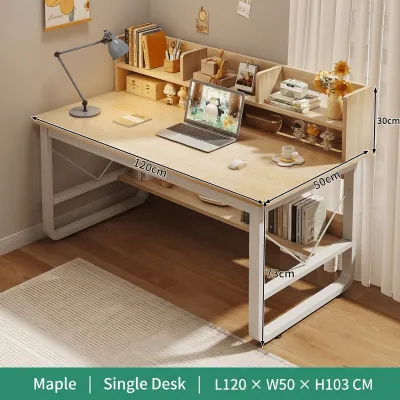
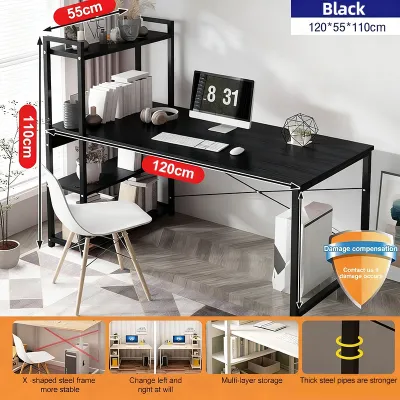
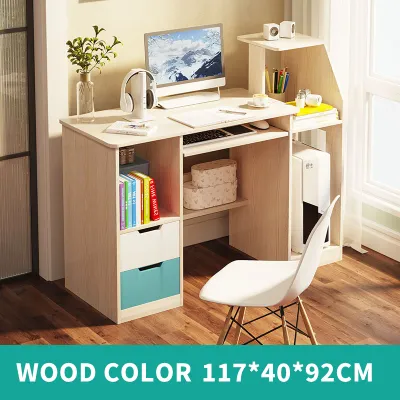
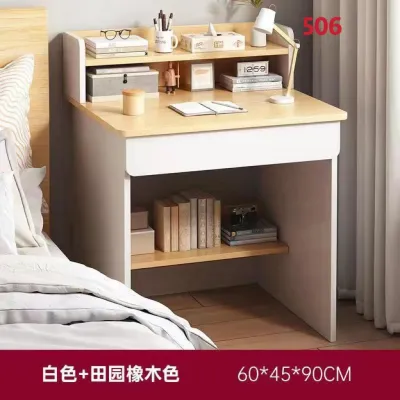
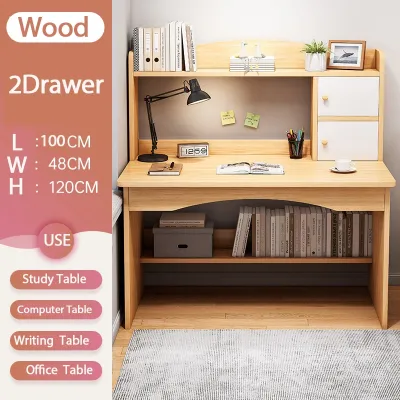
Prices are valid at publication and may change. Please refer to the product page for the latest price.
| Desk Type | Best Suited For | Space Requirement | Equipment Capacity | Shelf Functionality |
|---|---|---|---|---|
| Standing Desk | Active workers, posture correction, single-monitor setups | Moderate | Medium (up to 15 kg) | Moves with desktop; requires careful weight balancing |
| Foldable Desk | Shared rooms, temporary offices, laptop-only users | Minimal (collapsible) | Low (laptop and notebook) | Collapses flat; must be cleared before folding |
| L-Shaped Desk | Multi-monitor setups, heavy paperwork, dedicated rooms | Large (corner or wall) | High (multiple screens, printers) | Static, heavy-duty storage; often includes overhead hutches |
Your workflow indicators are the clearest signposts pointing to your ideal desk. If your job requires you to sit for eight to ten hours a day and you frequently experience lower back stiffness, a standing desk with integrated shelving offers the physical transitions you need. Conversely, if your living room doubles as your office, a foldable desk allows you to pack away your professional life by 6:00 PM, preserving your personal space. For those managing multiple screens, reference manuals, and external hardware, the expansive surface of an L-shaped desk is practically non-negotiable.
Integrated shelves function differently across these three designs, directly affecting how you store your items. On a standing desk, the shelves rise and fall with the desktop, meaning everything stored on them must remain secure during transition. Foldable desk shelves are designed for quick assembly, often requiring you to empty them completely before folding the frame flat against the wall. L-shaped desk shelves are structural anchors, offering deep, permanent storage that can hold heavy books, printers, and decorative items without compromising the stability of the workspace.
Standing Study Tables With Shelves: Best for Active Workflows
Standing study tables with shelves are engineered for professionals who prioritize physical wellness and dynamic movement throughout the workday. Alternating between sitting and standing helps sustain energy levels, improves circulation, and reduces the physical strain associated with sedentary office work. When a standing desk features integrated shelving, it allows you to keep essential reference materials, notebooks, and office supplies within arm’s reach, regardless of your working height.

However, the introduction of shelves to a height-adjustable desk alters its ergonomics and center of gravity. If your desk features an elevated shelf designed to hold a monitor, you must ensure that the shelf height aligns with your natural eye line when standing. Your eyes should look slightly downward at the top third of your screen to prevent neck strain. If the shelf is too high, you may find yourself tilting your head backward, which can lead to chronic neck pain over long working sessions.
Structural stability is a critical factor to verify before purchasing an adjustable standing desk. When the desk is raised to its maximum height, any structural weakness in the frame or joints becomes magnified. You must check the manufacturer’s specified weight limits for both the desktop and the shelves. Placing heavy books or dual monitors on an elevated shelf raises the center of gravity, which can cause the desk to wobble during typing or when the motor is in motion. Look for desks with heavy steel frames and wide footings to mitigate this risk.
Clearance requirements are another vital consideration for standing setups. Before assembly, measure the vertical space in your room to ensure the elevated shelf and your monitors will not collide with ceiling fans, overhead light fixtures, or wall-mounted air conditioning units. This is particularly important in Philippine homes with standard or low ceiling heights. Additionally, ensure that power cables and monitor cords have enough slack to stretch safely to their maximum height without pulling on wall outlets or straining the ports on your devices.
Finally, consider the trade-offs of this configuration. Height-adjustable desks with shelves are generally heavier and more expensive than their static counterparts. They require a perfectly level floor to operate smoothly; an uneven floor can strain the lifting mechanism or cause the desk to shake during transitions. Before finalizing your purchase, use a spirit level to check your floor, and look for desks equipped with adjustable leveling feet to compensate for minor floor imperfections.
Foldable Study Tables With Shelves: Ideal for Compact Spaces
Foldable study tables with shelves are the ultimate spatial problem-solvers for remote workers living in studio apartments, shared bedrooms, or multi-purpose living areas. These desks are designed to provide a functional workspace during the day and disappear when the workday ends. This capability is highly valued in dense urban areas where square footage is at a premium and maintaining a work-life boundary is a daily challenge.
When evaluating a foldable desk, the durability of the folding mechanism is your primary concern. Daily folding and unfolding put significant stress on hinges, latches, and joints. If these components are made of low-grade plastic or thin metal, they can wear out quickly, leading to a loose, unstable workspace. Look for desks that utilize heavy-duty steel hinges and locking pins. The folding action should be smooth and require minimal physical effort, allowing you to transition your room in under a minute.
Weight distribution and tipping risks are inherent challenges for lightweight, collapsible furniture. Because foldable desks lack the heavy, solid base of permanent desks, they are more susceptible to tipping if they are loaded unevenly. If you place heavy items on the upper shelves while leaving the desktop relatively light, the desk can become top-heavy. This increases the risk of the desk tipping forward if you lean on the front edge or type aggressively. Always distribute weight evenly, keeping heavier items on the lower levels or closer to the main support frame.
Storage capacity is naturally limited on foldable models. The shelves on these desks are typically shallow, designed to hold light notebooks, stationery, or small decorative items rather than heavy reference books or large printers. Furthermore, most foldable desks cannot accommodate large, heavy desktop monitors or dual-screen setups. They are best suited for laptop users who rely on digital storage rather than physical paperwork. You must accept the discipline of clearing your desk and shelves at the end of each day to allow the unit to fold flat.
Despite these limitations, the foldable desk is highly effective for specific user profiles. It is ideal for young professionals renting shared spaces in urban centers, students who need a temporary study area, or anyone who values the psychological benefit of physically packing away their office at the weekend. It allows you to reclaim your living space, ensuring that your home feels like a place of rest rather than an ongoing extension of your office.
L-Shaped Study Tables With Shelves: Built for Multitasking and Gear
L-shaped study tables with shelves are the heavyweights of the WFH world, designed for professionals who manage complex workflows, extensive hardware setups, and high volumes of physical documents. The primary advantage of an L-shaped desk is its ability to maximize corner space, turning an underutilized part of a room into a highly productive workstation. This configuration provides two distinct desk surfaces within easy reach, allowing you to organize your day by task.
This dual-surface design enables effective workflow zoning. You can dedicate one side of the “L” entirely to your computer, monitors, and keyboard, keeping it free from paper clutter. The adjacent side can be reserved for analog tasks, such as writing, sketching, reviewing printed documents, or handling physical mail. This physical separation helps maintain mental focus, as you can transition between tasks simply by rotating your chair, without needing to clear your primary workspace.
However, the large footprint of an L-shaped desk requires careful spatial planning. Before purchasing, you must measure your room dimensions precisely to ensure the desk does not block doorways, built-in wardrobes, or windows. In tropical climates like the Philippines, placing a large desk directly in front of a window can expose your electronic equipment to intense sunlight and heat, while blocking natural airflow. Ensure that the desk’s placement allows for comfortable movement around the room and does not restrict access to electrical outlets.
Shelf placement on L-shaped desks varies widely, offering options such as overhead hutches, side shelving units, or under-desk storage. Overhead shelves utilize vertical space efficiently but can make a small room feel visually crowded. Side shelves provide easy access to books and files but can restrict your legroom if they are positioned beneath the desk surface. When choosing a configuration, consider how your storage needs align with your physical comfort, ensuring that you have ample legroom to rotate your chair freely between the two desk wings.
Assembly complexity is a major trade-off with L-shaped desks. Due to their size, weight, and multi-part frames, these desks are challenging to assemble alone. They often require a two-person installation to align the desktop panels correctly and ensure the frame is structurally sound. If you are not confident in your DIY skills, it is wise to budget for professional assembly services. A poorly assembled L-shaped desk can suffer from misaligned joints, which compromises its stability and can cause the desktop to sag over time.
Pre-Purchase Checks: Measuring Space, Weight, and Clearance
Before you purchase any study table with shelf, conducting a thorough physical audit of your home environment is essential. Relying on visual estimates often leads to delivery day disappointments, such as a desk that cannot fit through your doorway or a shelf that blocks your wall outlets. Follow this step-by-step guide to ensure your chosen desk fits your space perfectly.
First, measure the floor footprint where the desk will stand. Use masking tape to outline the exact dimensions of the desk on your floor. This simple exercise helps you visualize how much physical space the desk will occupy and whether it will obstruct pathways or interfere with nearby furniture. Next, measure the delivery path. Check the width of your front door, hallway corners, and any stairwells or elevator doors that the delivery team must navigate. This is especially critical for large, non-demountable L-shaped frames.
Second, verify the vertical clearance. Measure the distance from the floor to the ceiling, and note the height of any wall-mounted fixtures, such as air conditioners, light switches, or decorative shelving. If you are purchasing a standing desk with an integrated shelf, calculate the total height of the desk when fully elevated, including the height of your monitor. Ensure there is at least 15 to 20 centimeters of clearance between the top of your monitor and any overhead obstacles to allow for proper ventilation and prevent accidental damage.
Third, read the manufacturer’s specification labels carefully to understand weight capacities. It is vital to distinguish between static weight capacity (the maximum weight the desk can hold when stationary) and dynamic weight capacity (the maximum weight a standing desk can safely lift while in motion).
- Static Weight Capacity: Typically ranges from 50 kg to 100 kg for heavy-duty L-shaped desks.
- Dynamic Weight Capacity: Often limited to 30 kg to 50 kg for motorized standing desks.
- Shelf Weight Capacity: Usually much lower, ranging from 5 kg to 15 kg. Exceeding this can cause the shelf to sag or snap.
Fourth, assess your floor type compatibility. Heavy desks can scratch hardwood floors, dent vinyl planks, or slide on glossy ceramic tiles. If you have delicate flooring, look for desks with adjustable leveling feet made of soft rubber, or plan to purchase protective felt pads to place under the desk legs. For carpeted floors, ensure the desk feet are wide enough to distribute the weight evenly, preventing deep, permanent indentations.
If at any point during your measurements you find that your room dimensions conflict with the product specifications, or if you have doubts about the load-bearing capacity of your walls (for wall-mounted foldable desks), stop and consult the manufacturer or a qualified professional. It is far better to resolve these structural questions before the desk is delivered and assembled in your home.
Frequently Asked Questions (FAQ)
Can I add aftermarket shelves to a standard standing or foldable desk?
Adding aftermarket shelves to a standing or foldable desk requires extreme caution, as these desks are engineered with precise weight balances and moving parts. Drilling into a standing desk frame can damage internal motors, wiring, or compromise the structural integrity of the metal legs. On foldable desks, adding extra weight can strain the folding hinges, making the desk difficult to close or causing it to collapse unexpectedly under load. Doing so will almost certainly void your manufacturer’s warranty.
If you need additional storage, opt for non-destructive, freestanding solutions. Consider using a slim, rolling drawer unit that can sit beside your desk, or a freestanding bookshelf that does not attach to the desk frame. For minor storage needs, clamp-on desk organizers or monitor risers with built-in drawers can provide extra space without requiring physical modifications to your desk’s structure.
How do I manage cables on a study table with an integrated overhead shelf?
Managing cables on a desk with an overhead shelf is essential for both visual neatness and physical safety. Start by routing your cables along the structural legs of the desk using adhesive cable clips or fabric sleeves. This keeps wires bundled together and prevents them from hanging loose, which is a common tripping hazard and can lead to accidental equipment damage if a cable is snagged.
To keep your desktop clean, you can mount a heavy-duty power strip to the underside of your desk or the lower shelf using strong double-sided mounting tape or cable ties. This allows you to plug in your monitor, laptop charger, and desk lamp close to the source, leaving only one main power cable running down to the wall outlet. Always ensure that your electrical setup complies with basic safety standards: avoid daisy-chaining multiple power strips together, and ensure that your total power draw does not exceed the capacity of your wall outlet.

Community discussion
Share your experience or ask a question. Comments are reviewed before publication.