
Choosing the right adjustable PC table for your home office directly impacts your daily comfort, productivity, and physical well-being. The ideal configuration depends entirely on your available floor space, daily workflow, and the weight of your computer equipment. If you have a dedicated workspace and want to alternate between sitting and standing throughout the day, a standard standing adjustable desk is the most efficient choice. For shared spaces, studio apartments, or multi-purpose rooms where you need to reclaim floor space after work hours, a foldable adjustable desk offers the necessary flexibility. If you manage multiple monitors, heavy PC towers, and creative gear, an L-shaped adjustable desk provides the expansive corner surface required to organize your workflow.
By evaluating your room dimensions, stability requirements, and usage habits, you can determine which configuration reliably supports your work without compromising your living space. Investing in the wrong type can lead to cramped quarters, poor ergonomics, or structural instability. Understanding how each desk type functions in a real-world home environment is the first step toward creating a comfortable and productive workstation.
Understanding the Three Adjustable PC Desk Configurations
To make an informed decision, you must first understand the structural and functional differences between standing, foldable, and L-shaped adjustable desks. Each configuration is engineered to solve specific spatial and ergonomic challenges, and their lifting mechanisms vary significantly.
Products mentioned in this guide
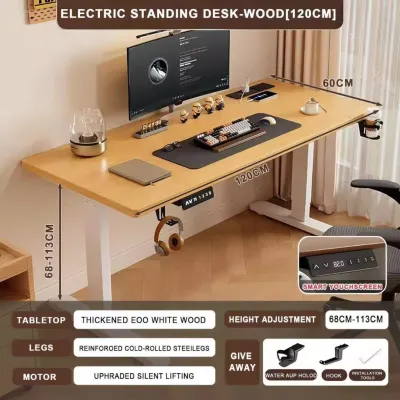
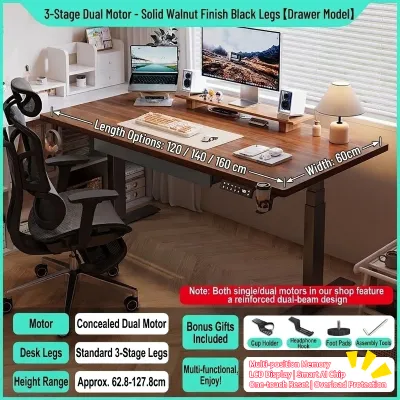
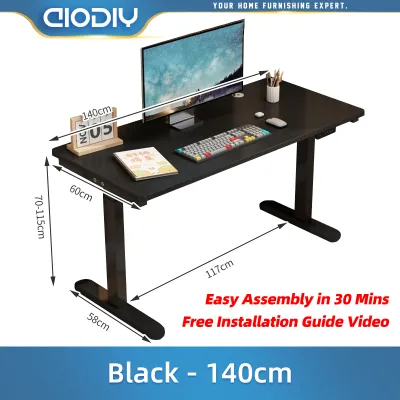
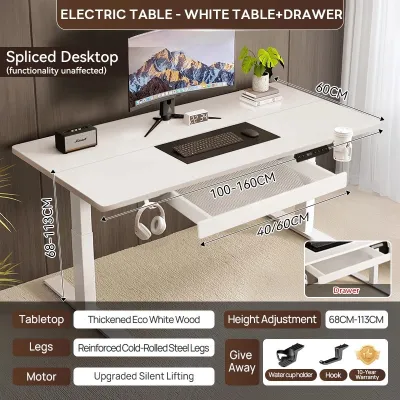
Prices are valid at publication and may change. Please refer to the product page for the latest price.
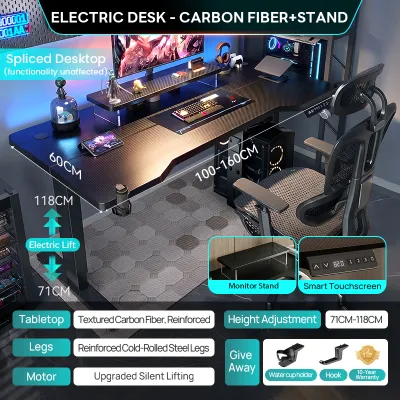
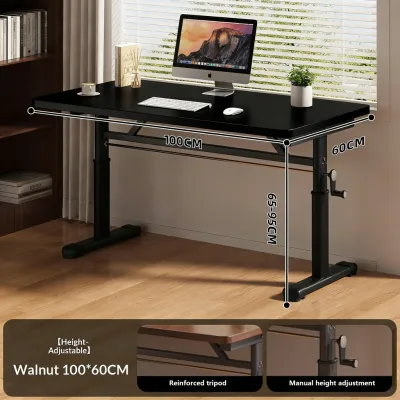
Standing adjustable desks are designed primarily for linear workstations where sit-stand ergonomics are the top priority. These desks typically feature a rectangular desktop supported by a motorized or manual crank lift mechanism. Motorized models use electric motors housed within the desk legs to raise or lower the surface smoothly at the press of a button. Manual crank models require physical effort to adjust but operate independently of electrical outlets. Both variations focus on providing a stable, vertical transition within a compact, straight-line footprint.
Foldable adjustable desks prioritize portability, collapsible frames, and space-saving storage capabilities. Unlike permanent standing desks, foldable models feature legs that fold flat against the underside of the desktop, allowing the entire unit to be stored in a closet or behind a door when not in use. The height adjustment on these desks is usually manual, utilizing locking pins, spring-loaded clips, or telescoping legs. While they offer unmatched flexibility for temporary setups, they generally have lower weight capacities and fewer electronic convenience features than their stationary counterparts.
L-shaped adjustable desks are engineered for corner utilization, dual-surface workflows, and heavy equipment setups. These desks feature a main desktop joined with a return side, creating a spacious, wraparound workspace. Because of their size and weight, L-shaped adjustable desks almost always utilize dual or triple motorized lifting systems to ensure the entire multi-segment surface rises evenly. This configuration is ideal for users who need to transition between different tasks, such as computer work on one side and physical paperwork or sketching on the other.
Evaluating Your Workspace and Layout Constraints
Before purchasing any adjustable PC table, you must carefully measure your physical environment to ensure the desk can be delivered, assembled, and operated safely. Home offices in the Philippines often contend with unique spatial challenges, such as compact condominium layouts, narrow hallways, and low-hanging wall fixtures.

Start by measuring the exact floor space where you plan to position the desk. For L-shaped desks, you must verify that the corner walls are perfectly square and free of obstructions like baseboard heaters, electrical outlets, or internet ports that might be blocked. It is also crucial to measure the clearance of doorways, stairwells, and elevator cabins. A large, non-collapsible desktop panel can be incredibly difficult to maneuver through tight residential corridors during delivery and assembly.
Vertical clearance is another critical factor, especially for standing and foldable desks. When using a standing desk, you must ensure that the desktop and any mounted monitors will not collide with wall-mounted air conditioning units, window frames, or low-hanging shelves at maximum height. For foldable desks, consider where the unit will be stored when collapsed. If you plan to slide it under a bed or lean it against a wall behind a door, measure those storage gaps to ensure a proper fit.
Comparing the spatial footprint of these three options reveals distinct trade-offs. An L-shaped desk requires a permanent, dedicated corner and can easily dominate a small bedroom or living area. A standard linear standing desk offers a more balanced footprint, fitting neatly against a single wall. A foldable desk represents the ultimate space-saving solution, occupying zero floor space once your workday is complete and the unit is stored away.
Matching Desk Types to Your Daily Work Habits
Your daily workflow and the type of equipment you use should dictate the configuration of your adjustable PC table. Matching the desk’s design to your habits ensures that your workstation supports your productivity rather than hindering it.
Standard standing adjustable desks are ideal for professionals who spend long hours at their computers and prioritize active posture shifts. If your work involves continuous typing, video calls, or programming with a standard single- or dual-monitor setup, a linear standing desk provides a streamlined and ergonomic solution. The ability to transition from sitting to standing in seconds encourages movement, which can help combat the physical fatigue associated with prolonged sitting in humid tropical climates.
Foldable adjustable desks are best suited for multi-purpose rooms, temporary workstations, or hybrid employees who only work from home a few days a week. If your dining room table or living area doubles as your office, a foldable desk allows you to set up a dedicated workspace in the morning and completely clear the floor for family activities in the evening. This configuration is also excellent for students or freelancers who do not require a permanent, heavy-duty computer setup and prefer the freedom to move their workstation to different rooms.
L-shaped adjustable desks are designed for heavy multitaskers, creative professionals, and users with complex gear layouts. If your daily routine involves managing multiple large monitors, heavy PC towers, studio speakers, drawing tablets, or streaming equipment, the expansive surface of an L-shaped desk is highly beneficial. The wraparound design allows you to organize your equipment into distinct zones, keeping your primary computer setup separate from your writing, reading, or crafting areas.
Checking Stability, Weight Capacity, and Assembly Needs
Structural integrity and safety are paramount when selecting an adjustable desk, as these units must support expensive computer equipment while moving vertically. You must verify several technical specifications to ensure your chosen desk remains stable and safe over years of daily use.
First, verify the manufacturer’s specified weight limit against the total combined weight of your monitors, mounts, PC tower, keyboard, and desktop accessories. Motorized desks have strict load capacities, and overloading the frame can strain or permanently damage the electric motors. Keep in mind that L-shaped desks, while larger, have weight limits distributed across a wider frame, so you must distribute your equipment evenly to prevent uneven wear on the lifting columns.
Frame stability is a common concern, particularly when linear standing desks and L-shaped desks are raised to their maximum heights. At standing height, any slight movement can cause monitor wobble, which is highly distracting during typing or video calls. Look for desks constructed with heavy-duty steel frames, thick lifting columns, and wide leveling feet that can be adjusted to compensate for uneven tile or concrete floors. Avoid lightweight frames that compromise on material thickness, as they are highly prone to swaying.
Assembly complexity is another factor that varies widely between these configurations. Foldable desks usually require minimal to no assembly, making them highly convenient for immediate use. In contrast, motorized standing and L-shaped desks feature heavy steel components, control boxes, and intricate wiring that require careful assembly. Review the installation manual beforehand to determine if you have the necessary tools, such as a drill and hex keys, and consider recruiting a second person to help flip the heavy, fully assembled desk upright.
How to Choose the Right Adjustable PC Table for You
To finalize your decision, apply a clear conditional framework based on your space, workflow, and budget. Investing in a high-quality adjustable desk is a long-term commitment, and selecting the right type will ensure a comfortable home office environment.
Choose a standing adjustable desk if you have a dedicated workspace, prioritize seamless sit-stand transitions, and use a standard linear computer setup. This option offers the best balance of ergonomic benefits, stability, and modern features without overwhelming your room’s layout. It is a reliable, long-term investment for dedicated remote workers.
Choose a foldable adjustable desk if your home office is temporary, shared with family members, or located in a compact studio apartment. This configuration allows you to maintain a healthy working posture during the day while preserving your living space when the workday ends. It is also a highly budget-friendly option for those who do not require motorized adjustments.
Choose an L-shaped adjustable desk if you are a power user with a dedicated corner room, require maximum desktop surface area, and manage a complex multi-monitor or multi-task workflow. The expansive layout provides unmatched organization and space, making it the ultimate workstation for creative professionals and tech enthusiasts.
Before making your final purchase, perform a few practical checks. Ensure your floor can support the concentrated weight of a heavy motorized desk and your equipment without damaging the flooring material. Verify that your electrical outlets are within safe reach of the desk’s power cord at its maximum height, and plan your cable management to prevent cords from stretching, pinching, or unplugging during vertical transitions.
Frequently Asked Questions (FAQ)
Can I convert my existing regular desk into an adjustable one?
Yes, you can convert a standard desk into an adjustable workstation using a desktop converter or by replacing the existing legs with an aftermarket motorized frame. If you choose a desktop converter, you must verify that your current desk can support the combined weight of the converter, your monitors, and your accessories. Additionally, ensure the desk’s surface is deep enough to accommodate the converter’s footprint safely. For a cleaner look and better long-term ergonomics, replacing the entire underframe with a motorized height-adjustable frame is often preferred, provided your existing desktop panel is thick and sturdy enough to be securely screwed into the new metal frame.
Do motorized adjustable desks require special electrical maintenance?
Motorized adjustable desks do not require complex maintenance, but they do demand proper electrical safety practices to protect their electronic control boxes and motors. Because power fluctuations and surges can occur, it is highly recommended to plug your motorized desk into a high-quality surge protector rather than directly into the wall. Ensure all power and device cables are routed with enough slack to accommodate the desk’s full range of motion without pulling or snagging. If the desk stops responding or becomes uneven after a power outage, consult the manufacturer’s manual to perform a system reset, which typically involves holding the down button until the desk reaches its lowest point and calibrates itself.

Community discussion
Share your experience or ask a question. Comments are reviewed before publication.