
Choosing the right computer desk for your work-from-home (WFH) setup is more than just finding a flat surface to place your laptop. The ideal choice depends on a delicate balance between your physical space, daily work habits, and budget. If you are working from a compact condominium or a shared family room, a foldable desk offers unmatched flexibility by packing away when the workday ends. For those who prioritize physical comfort and movement during long hours of virtual meetings, a height-adjustable standing desk provides the ergonomic flexibility to transition between sitting and standing. Meanwhile, professionals managing multi-monitor setups, physical documents, or creative gear will find that an L-shaped desk maximizes corner spaces and provides the expansive surface area needed for heavy multitasking.
Assessing Your Space and Work Habits First
Before browsing online marketplaces or visiting local furniture showrooms, you must establish a clear picture of your physical environment and daily workflow. Start by measuring the exact footprint of your designated work area using a physical measuring tape. Do not rely on visual estimation; even a discrepancy of a few centimeters can block a doorway, prevent a drawer from opening, or obstruct a main walking path. It is equally critical to measure the clearances of your entryways, hallways, stairwells, and elevator doors. Many homeowners purchase large, single-piece or heavy flat-pack desks only to find they cannot navigate the tight corners of a condominium stairwell or fit inside a standard residential lift.
Next, analyze your daily tasks to determine your actual surface area requirements. A professional who works solely on a single lightweight laptop has vastly different needs than a software engineer utilizing three monitors, or an architect who needs space to review physical blueprints alongside a keyboard. If your job involves frequent video calls, consider how the desk’s placement affects your background and lighting. Finally, establish your budget flexibility. While a basic utility table might require a minimal investment of under ₱2,000, specialized ergonomic or heavy-duty corner desks can range from ₱5,000 to well over ₱25,000. Determine whether this desk is a temporary stopgap or a long-term investment that must withstand daily wear, high tropical humidity, and potential household relocations.
Products mentioned in this guide
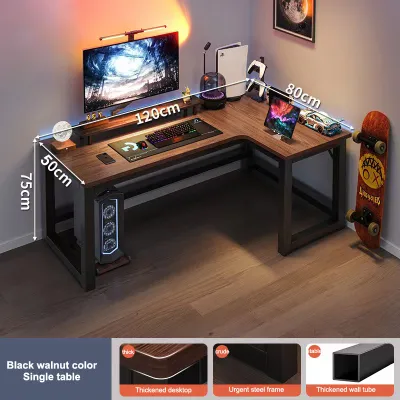
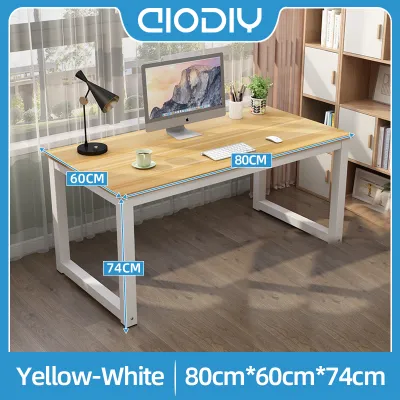
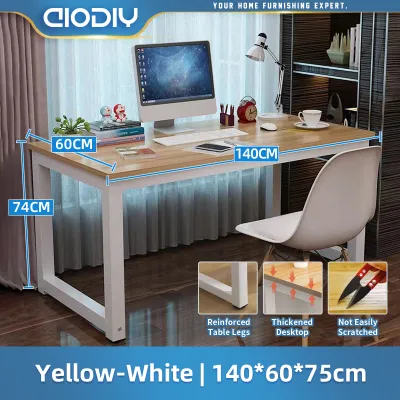
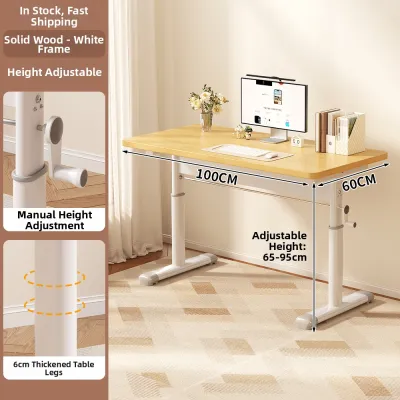
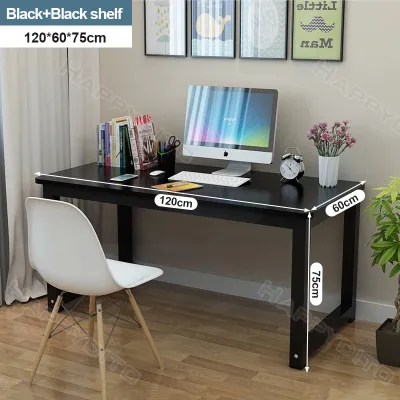
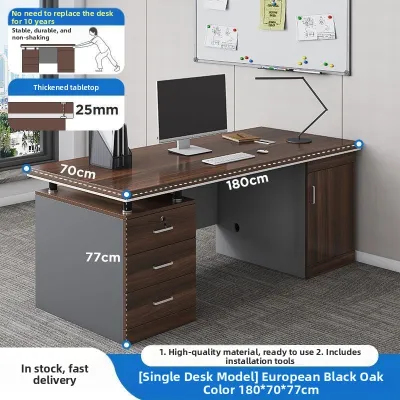
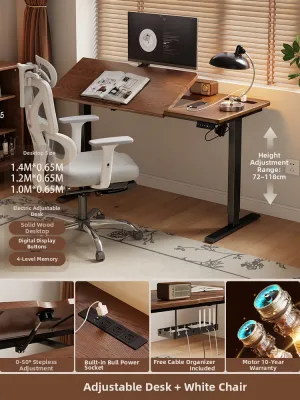
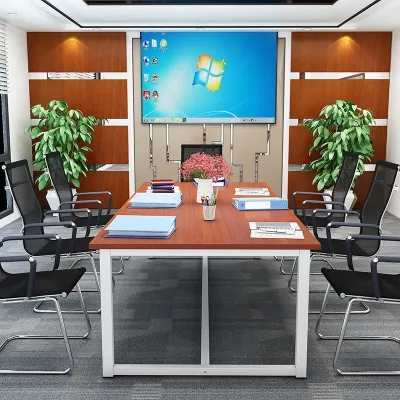
Prices are valid at publication and may change. Please refer to the product page for the latest price.
Standing Desks for Ergonomics and Movement
Height-adjustable standing desks have transitioned from a premium office luxury to a staple of the modern home office. The primary appeal of a standing computer desk lies in its ability to break up sedentary routines. Alternating between sitting and standing throughout the day can help mitigate physical fatigue, improve circulation, and reduce the strain on your lower back during extended typing sessions. However, achieving these benefits requires selecting a desk that matches your physical height and equipment weight.

When evaluating standing desks, you must verify several critical mechanical specifications. Decide between a motorized model and a manual hand-crank mechanism. Motorized desks offer convenience with programmable memory presets, allowing you to transition heights at the press of a button, but they require proximity to an electrical outlet and contain more moving parts that may require future maintenance. Manual desks are highly reliable and independent of power sources, though adjusting them requires physical effort. Always check the manufacturer’s specified weight capacity limit. A high-quality standing desk must support not only your monitors and computer tower but also the downward pressure of your arms as you type. Pay close attention to stability reviews at maximum height; some budget-friendly models may exhibit noticeable wobble when fully extended, which can be distracting during precise tasks or video calls.
Space planning for a standing desk also requires a unique approach. You must ensure there is sufficient vertical clearance above and around the desk. Wall-mounted shelves, hanging picture frames, or low-hanging light fixtures must not obstruct the desk’s upward path. Cable management is another critical safety factor. Because the desk moves vertically, your power strips, monitor cables, and charger cords must have enough slack to stretch to their highest point without pulling on ports or creating a tripping hazard. Utilizing flexible cable spines or under-desk cable trays is highly recommended to keep wires organized and secure during transitions.
Foldable Desks for Flexibility and Small Spaces
For many remote workers, dedicating a permanent room or even a permanent corner to a home office is not feasible. In compact living spaces, studio apartments, or shared bedrooms, a foldable computer desk serves as an excellent space-saving solution. These desks are designed to be deployed quickly at the start of the workday and folded flat for storage under a bed, behind a sofa, or inside a closet once log-off time arrives. This physical transition also helps establish a healthy psychological boundary between work life and personal life in a shared home.
However, the convenience of portability means you must perform rigorous structural checks before purchasing. Inspect the quality of the folding joints, hinges, and locking mechanisms. A reliable foldable desk should lock securely into place without shifting or swaying when you apply lateral pressure. Look for frames constructed from powder-coated steel or heavy-duty metal tubing, and check that the tabletop material is securely fastened to the support structure. Because these desks are frequently moved, they are highly susceptible to edge chipping and joint wear. If you live in a high-humidity coastal region, verify that the metal components have rust-resistant coatings and that any engineered wood surfaces are fully sealed against moisture absorption to prevent swelling.
The primary trade-offs of a foldable desk are limited surface area and minimal storage. Most foldable models cannot accommodate heavy dual-monitor mounts or bulky desktop towers; they are best suited for single-laptop setups and minimal accessories. Additionally, because they lack built-in drawers or shelves, you will need alternative storage solutions for your stationery, files, and chargers. Ergonomic adjustments are also limited, as foldable desks typically feature a fixed height. You will need to rely entirely on an adjustable office chair or external laptop risers to achieve a comfortable typing and viewing angle.
L-Shaped Desks for Multitasking and Corners
If your work demands an expansive workspace and your room has an underutilized corner, an L-shaped computer desk is often the most efficient way to maximize your floor plan. By wrapping around your seating position, an L-shaped desk places a vast amount of surface area within arm’s reach. This layout is ideal for professionals who manage complex workflows, such as developers running multiple screens, streamers with dedicated audio-visual gear, or administrative professionals who need to separate digital tasks on one wing from physical paperwork on the other.
When shopping for an L-shaped desk, configuration flexibility is key. Many modern designs feature reversible configurations, allowing you to assemble the longer wing on either the left or right side to match your room’s layout. Verify the depth of both wings; some models have a primary wing that is deep enough for a large monitor and keyboard, while the secondary wing is narrower and intended solely for secondary devices or writing. Legroom clearance is another vital check. Ensure that the support legs or storage cabinets underneath do not restrict your ability to swivel your chair smoothly from one side of the desk to the other.
Despite their utility, L-shaped desks come with distinct challenges. They have a significantly larger physical footprint and visual weight, which can make a small room feel cramped if not positioned carefully. Assembly is typically complex and time-consuming, often requiring two people to align the heavy desktop panels and secure the frame. Furthermore, once an L-shaped desk is assembled and placed, relocating it to another room or moving it to a new home is a major undertaking. It is crucial to confirm that your floor is level, as any unevenness can cause the seams between the desktop panels to misalign, creating an uneven working surface.
Comparison and Decision Framework
To help you synthesize these options, the following framework compares the three desk types across key operational dimensions.
| Desk Type | Space Footprint | Multitasking Capacity | Ergonomic Flexibility | Typical Budget Range |
|---|---|---|---|---|
| Standing Desk | Moderate (Requires vertical clearance) | Moderate to High | Excellent (Active sitting/standing) | ₱6,000 – ₱25,000+ |
| Foldable Desk | Very Low (Folds flat for storage) | Low (Best for single laptop) | Limited (Fixed height) | ₱1,500 – ₱4,500 |
| L-Shaped Desk | High (Requires dedicated corner) | Excellent (Dual zones/monitors) | Moderate (Fixed height, large reach) | ₱4,000 – ₱15,000+ |
Use these direct decision rules to guide your final selection:
- Choose a standing desk if your primary goal is to reduce physical fatigue, you have a dedicated permanent workspace, and your budget allows for a motorized or high-quality manual lifting mechanism.
- Choose a foldable desk if you live in a compact or shared space, need to clear your work setup daily to reclaim your living area, and use a minimal hardware setup consisting of a laptop and a mouse.
- Choose an L-shaped desk if you operate multiple monitors, require distinct zones for computer work and paperwork, and have an empty corner in a room that can accommodate a permanent, heavy furniture piece.
Before finalizing your choice, verify these critical environmental conditions:
- Rental Rules: If you are renting, check if heavy L-shaped desks that might require wall anchoring or large standing desks that draw power are permitted or practical for frequent moves.
- Floor Weight Limits: For older residential buildings or loft spaces, ensure the combined weight of a heavy L-shaped desk, multiple monitors, and your office chair does not exceed local structural guidelines.
- Power Access: Standing desks require a reliable power outlet nearby; ensure your room's electrical layout can accommodate this without running hazardous extension cords across walking paths.
Final Pre-Purchase Checks and Assembly
Once you have selected the desk type that fits your workflow, perform a final round of verification before placing your order. Double-check your measured room dimensions against the product’s fully assembled specifications. Remember to account for your office chair’s footprint; a desk may fit perfectly against a wall, but you still need at least 70 to 90 centimeters of clearance behind the desk to pull out your chair and sit comfortably. Ensure that walking paths through the room remain unobstructed when the chair is occupied.
Next, realistically assess the assembly requirements. Motorized standing desks and large L-shaped desks often arrive in multiple heavy boxes. Review the assembly instructions online if available. If you do not own basic tools like a level, a rubber mallet, or a power drill, or if you have physical limitations, consider hiring a local professional assembly service to ensure the desk frame is put together safely and securely.
Finalizing your purchase also means carefully reading the manufacturer’s return policy and warranty terms. This is particularly important for standing desks, where the motor, control box, and lifting columns are subject to electrical and mechanical wear. A reliable warranty should cover these mechanical components for at least one to three years. For foldable and L-shaped desks, check the policy regarding shipping damage, as large wooden panels and metal frames can occasionally suffer dents or scratches during transit.
Frequently Asked Questions (FAQ)
Can I convert a standard desk into a standing desk?
Yes, you can convert an existing standard desk into a sit-stand workstation by using a desktop riser or converter. These units sit directly on top of your current desk and feature a gas-spring or manual lifting mechanism to raise your monitor and keyboard. While this is a highly practical and budget-friendly alternative to buying a full standing desk, there are trade-offs. Desktop converters add significant visual bulk, reduce your remaining flat desk surface, and can sometimes introduce stability issues or wobble when fully extended. Ensure your existing desk is sturdy enough to support the combined weight of the converter and your computer equipment.
What is the best desk shape for a small bedroom?
For a small bedroom, a foldable desk or a compact straight desk with built-in vertical shelving is generally the best option. These designs minimize the visual weight of the furniture, keeping the bedroom feeling restful rather than cluttered. While an L-shaped desk can technically fit into a bedroom corner, its large physical footprint can dominate the room and disrupt the balance between your sleeping space and your workspace. If you must use an L-shaped desk in a bedroom, opt for a model with open metal legs and a light-colored finish to reduce its visual impact.

Community discussion
Share your experience or ask a question. Comments are reviewed before publication.