
Selecting the ideal work-from-home (WFH) setup in the Philippines requires balancing personal productivity with the physical constraints of your living space. Whether you are operating from a compact studio apartment in Metro Manila or a spacious home office in a suburban townhouse, your desk is the foundation of your daily routine. The decision often comes down to three popular configurations, especially when you require a functional table with drawer storage to keep your workspace organized and free of clutter.
To find the ideal setup, you must evaluate three primary factors: your available floor space, your daily work habits, and your storage requirements.
- L-Shaped Desks with Drawers: Best for dedicated corner spaces, multi-monitor setups, and extensive storage needs. Choose this if you spend long hours handling both digital and physical documents.
- Standing Desks with Drawers: Best for active professionals prioritizing posture variation and movement. Choose this if you want to alternate between sitting and standing, and only need light storage for daily essentials.
- Foldable Desks with Drawers: Best for small, multi-purpose, or shared rooms. Choose this if you need to pack away your workspace after office hours and primarily work on a single laptop.
Ultimately, there is no single “best” desk. Your choice is highly conditional on your home’s layout, your physical comfort, and how much gear you need to store.
Products mentioned in this guide
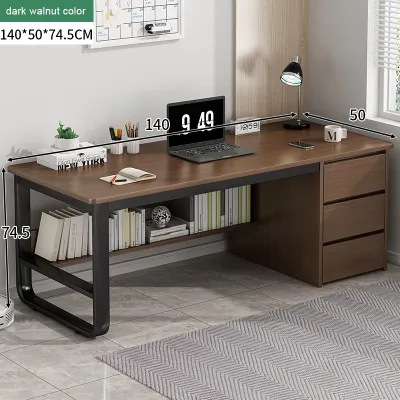
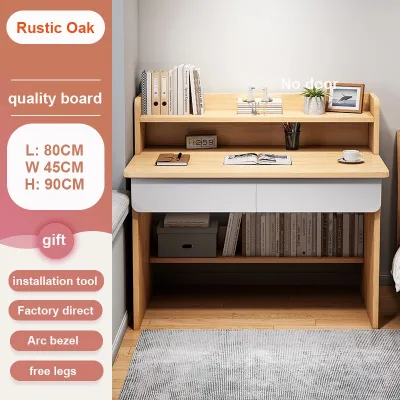
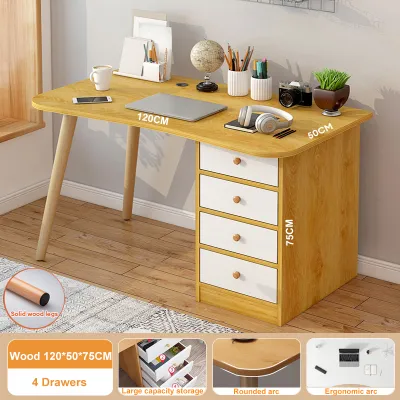
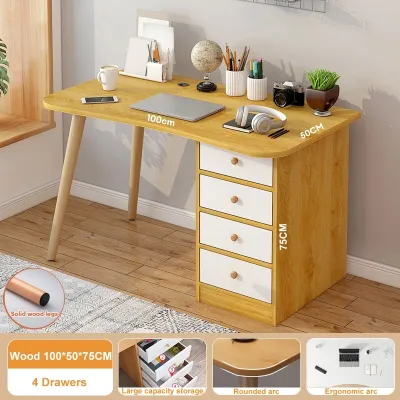
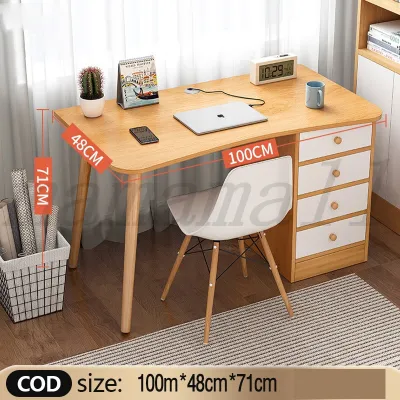
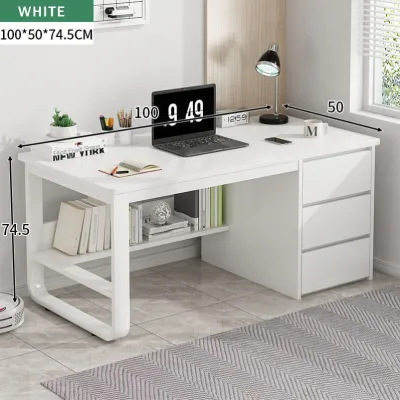
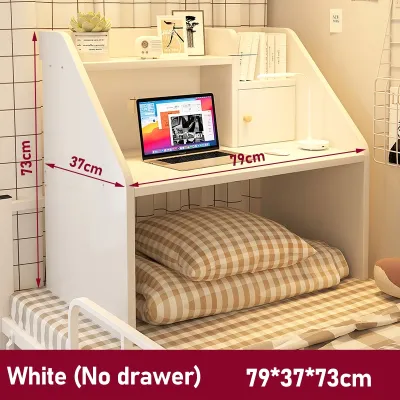
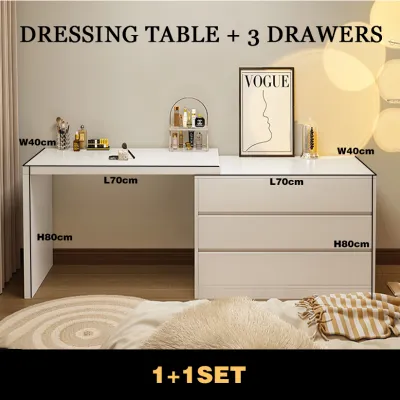
Prices are valid at publication and may change. Please refer to the product page for the latest price.
Space and Layout: Evaluating Your Home Office Footprint
Evaluating your physical home office footprint is the first step in determining which desk style will fit your lifestyle. Each desk type has a distinct spatial requirement that dictates where it can be placed and how much room remains for daily living.
Foldable desks with drawers are designed with space-saving efficiency in mind. When open, they occupy a modest footprint, typically around 80 centimeters by 50 centimeters. When folded, they shrink to a depth of just 10 to 15 centimeters, allowing them to be tucked away behind a door, under a bed, or inside a closet. This makes them exceptionally popular for studio condos where the living room must transition seamlessly from an office by day to a relaxation area by night.
L-shaped desks, by contrast, require a permanent, dedicated footprint. They typically demand a corner area of at least 120 centimeters by 120 centimeters, extending up to 180 centimeters or more for larger executive models. Because of their shape, they require deeper clearance behind the desk to allow your office chair to slide out comfortably without hitting walls, cabinets, or other furniture. They are best suited for larger rooms or dedicated study areas where they can serve as a permanent fixture.
Standing desks occupy a standard rectangular footprint—usually 120 centimeters by 60 centimeters or 140 centimeters by 70 centimeters—but they introduce unique vertical clearance requirements. You must ensure there are no low-hanging wall shelves, picture frames, or wall-mounted air conditioning units that could obstruct the desk as it rises. Furthermore, electric standing desks require close proximity to a stable power outlet. In many Philippine homes, older electrical layouts or a lack of wall outlets can lead to relying on extension cords, which must be carefully managed to prevent tripping hazards or cord tension when the desk transitions between heights.
Before finalizing your choice, plan for the logistics of delivery and assembly. Many high-rise condominiums and townhouses in urban centers have strict elevator size restrictions, narrow stairwells, and tight corridor turns. Measure your doorways, stairwells, and elevator doors to ensure the flat-packed or pre-assembled components can safely reach your room. A desk that is too large to clear a tight stairwell turn will cause significant logistical headaches.
Ergonomics and Work Habits: Matching the Desk to Your Routine
An ergonomic workspace is not just about the desk itself; it is about how the desk integrates with your body and your daily tools. Aligning your desk choice with your physical routine is essential for preventing strain and maintaining focus over long working hours.

Standing desks are designed for active professionals who experience back pain, stiffness, or low energy from sitting for eight or more hours. By allowing you to transition between sitting and standing with the press of a button, these desks encourage micro-movements, improve circulation, and help maintain focus. They are ideal for users who primarily work digitally and want to actively manage their physical well-being throughout the day.
L-shaped desks cater to multi-taskers, creative professionals, and those who handle a mix of digital and physical tasks. The dual-surface design allows you to set up a primary computer workstation on one side while keeping the other side clear for writing, reviewing printed documents, or housing secondary equipment like printers, scanners, or tablets. This layout reduces the need to constantly clear your workspace, allowing you to transition between different tasks seamlessly.
Foldable desks are best suited for light, task-oriented work. If your job primarily involves checking emails, attending short virtual meetings, or working for a few hours a day, a foldable desk offers a practical, low-cost solution. However, they are rarely designed for long-term daily ergonomics. Their lack of height adjustability and limited surface area mean they cannot easily accommodate ergonomic accessories like monitor arms or separate keyboard trays.
Regardless of the desk style you select, true ergonomic comfort depends on a holistic approach. Your desk height must allow your elbows to rest at a 90-degree angle, and your wrists should remain neutral while typing. Your office chair must be highly adjustable, providing robust lumbar support and armrests that align with the desk surface. Your monitor should be positioned directly in front of you, with the top of the screen at or slightly below eye level to prevent neck strain. If your desk does not allow for these adjustments naturally, you may need to supplement it with monitor arms, laptop stands, or external keyboards.
Storage Reality: How Drawers Function on Each Desk Type
Integrating storage into a workspace is a common challenge, and choosing a table with drawer capabilities is one of the most effective ways to maintain a clean, distraction-free environment. However, how drawers are physically integrated varies dramatically across these three desk styles, directly impacting both legroom and usability.
On a standing desk, adding drawers introduces distinct design trade-offs. Because the desk must raise and lower smoothly, any under-desk storage adds weight and thickness to the tabletop. A thick drawer assembly can severely limit your legroom when sitting, forcing your thighs to press against the bottom of the drawer or preventing your chair’s armrests from sliding underneath. Additionally, heavy items stored in these drawers can strain the motor or manual crank mechanism over time, potentially shortening the lifespan of the lifting system.
For foldable desks, storage is a structural challenge. To maintain the ability to fold flat, any drawers must be shallow, compact, and strategically placed. Some models feature fabric or collapsible drawers, while others require you to slide the drawers out entirely before folding the frame. While convenient for holding pens, notebooks, or a charging cable, these drawers are not designed for heavy files or bulky electronic accessories.
In contrast, L-shaped desks offer the most robust and practical drawer configurations. Because the desk is supported by a large, stationary frame, it can easily accommodate full-sized pedestal drawers, deep file drawers, and wide keyboard trays without compromising structural integrity or legroom. The corner junction of an L-shaped desk often provides an under-utilized space where a multi-drawer cabinet can sit permanently, giving you easy access to physical documents, external hard drives, and office supplies.
When evaluating any table with drawer options, always check the manufacturer’s specified internal drawer dimensions and weight limits. In the tropical, high-humidity climate of the Philippines, drawer construction is particularly important. Solid wood or high-quality engineered wood with moisture-resistant finishes will resist warping, while smooth metal ball-bearing drawer slides are highly recommended over simple plastic rollers, which can easily stick or degrade when exposed to ambient moisture.
Setup, Stability, and Daily Maintenance
The practical realities of owning a desk extend far beyond its initial appearance. Assembly complexity, structural stability, and long-term maintenance are critical factors that dictate your overall satisfaction.
Adding drawers naturally increases the overall weight of any desk. For a foldable desk, this added weight directly compromises its primary benefit: portability. A heavier foldable desk is more difficult to carry, set up, and store away, making lightweight materials and secure drawer locks essential. For standing desks, the added weight of drawers and their contents requires a more powerful, reliable motor. You must verify the desk’s maximum lifting capacity to ensure it can handle the weight of the tabletop, the integrated drawers, your monitors, and all your office gear without burning out the motor.
Stability is another major consideration, particularly for standing desks and foldable models. A standing desk extended to its maximum height is naturally more susceptible to lateral movement or “wobble,” especially when typing vigorously or using heavy dual-monitor setups. Look for models with thick steel legs, wide feet, and sturdy cross-supports. Foldable desks, on the other hand, can feel unstable if placed on uneven flooring, such as older tiled or stone floors common in some Philippine homes. Choosing a desk with adjustable leveling feet can help mitigate this issue.
Daily maintenance also varies by material and climate. The high relative humidity in the Philippines can cause wood fibers to swell and contract, which can lead to misaligned drawer tracks, sticking drawers, or squeaking joints. To keep your desk functioning smoothly, periodically inspect and tighten all assembly bolts, and apply a silicone-based lubricant to metal drawer slides to prevent rust and friction. If your desk is made of engineered wood, ensure all edges are properly sealed to prevent humidity from penetrating the core and causing the material to bubble or delaminate.
Comparison Matrix: Features at a Glance
To help you quickly compare the key differences between these three desk styles, the following matrix summarizes their core features, spatial requirements, and storage capabilities.
| Desk Type | Space Requirement | Ergonomic Flexibility | Drawer Capacity | Assembly Effort | Best Use Case |
|---|---|---|---|---|---|
| Standing Desk | Moderate (requires vertical clearance) | High (supports sitting and standing) | Low (shallow drawers to preserve legroom) | Moderate to High (motor and frame assembly) | Active professionals wanting posture variation |
| Foldable Desk | Low (collapsible and easy to store) | Low (fixed height, limited surface) | Low (compact, shallow storage) | Very Low (minimal to no assembly) | Shared spaces, studio apartments, light laptop work |
| L-Shaped Desk | High (requires dedicated corner space) | Moderate (fixed height, spacious layout) | High (supports deep file drawers) | High (complex frame and drawer assembly) | Multi-monitor setups, heavy storage, dedicated offices |
Final Decision Framework: Choose Your WFH Setup
To finalize your purchase decision, match your specific working conditions and home environment to the scenarios outlined below.
- Choose an L-Shaped Desk with Drawers if:
- You have a dedicated room or a permanent corner space of at least 120 cm by 120 cm.
- You utilize multiple monitors, a printer, or extensive physical paperwork.
- You require deep, secure storage for files, books, and heavy office supplies.
- Choose a Standing Desk with Drawers if:
- You suffer from physical discomfort or fatigue from prolonged sitting.
- You prefer a modern, minimalist aesthetic and only need to store light stationery.
- You have access to a nearby, reliable power outlet and have clear vertical wall space.
- Choose a Foldable Desk with Drawers if:
- You live in a studio apartment or shared space where the room must serve multiple purposes.
- You work strictly on a laptop and do not use heavy external monitors.
- You want a budget-friendly setup that requires virtually no assembly.
- Verify first if:
- Dimensions: Double-check the exact width, depth, and height of the desk against your room's layout, ensuring there is enough clearance for your chair and surrounding furniture.
- Delivery Access: Confirm that the flat-packed boxes can fit through your building's elevator, corridors, and doorways.
- Floor Leveling: Ensure your floor is level, or choose a desk with adjustable leveling feet to prevent wobbling.
- Weight Limits: Check the maximum load capacity of both the tabletop and the individual drawers before loading them with heavy tech equipment.
Frequently Asked Questions (FAQ)
Can I add aftermarket drawers to a desk that doesn't have them?
Yes, you can install aftermarket under-desk drawers, such as slide-out trays or clamp-on drawers, to increase storage. However, you must verify the underside clearance of your desk first. Avoid clamp-on drawers on foldable desks, as they will obstruct the folding mechanism. On standing desks, ensure the aftermarket unit does not interfere with the crossbar, motor cables, or your legroom when seated.
Do standing desks with drawers wobble more when fully raised?
Standing desks can experience increased lateral movement or wobble at their maximum height due to a higher center of gravity. Adding drawers—especially when loaded with heavy items—increases this top-heavy effect. To minimize wobble, look for desks with heavy steel frames, wide floor feet, and dual-motor lifting systems, and avoid overloading the drawers with heavy tech gear.

Community discussion
Share your experience or ask a question. Comments are reviewed before publication.