
Selecting the right work-from-home table is one of the most critical decisions for your home office setup. The ideal choice depends entirely on your spatial constraints, equipment load, and daily movement habits. There is no single best option; rather, the right choice emerges when you match your room’s physical limits with your workflow demands. Standing desks prioritize ergonomics and movement, foldable tables offer ultimate flexibility for tight spaces, and L-shaped desks provide expansive surface areas for complex, multi-monitor setups.
In urban living environments where space is often shared or limited, choosing furniture requires careful planning. High humidity levels can also affect furniture materials over time, making structural integrity and material finishes key considerations. By evaluating your specific working conditions, you can select a table style that supports your productivity without compromising your living space.
Assessing Your Space and Workflow Needs
Before browsing online marketplaces or visiting local showrooms, grab a physical tape measure to assess your designated workspace. Measure the exact floor area where the table will sit, but do not stop at the footprint of the desk itself. You must also map out the clearance needed for your office chair to roll back comfortably, which typically requires at least 70 to 100 centimeters of unobstructed space behind the table.
Products mentioned in this guide
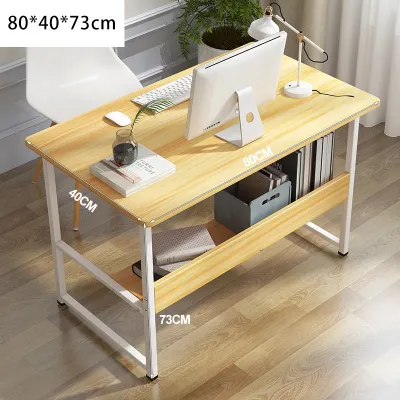
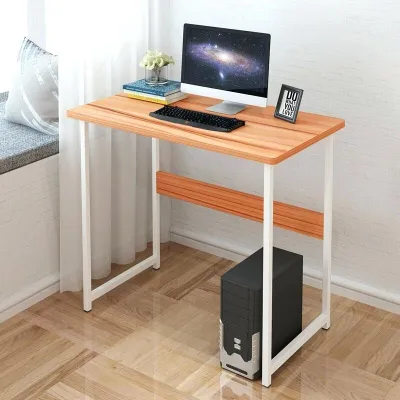
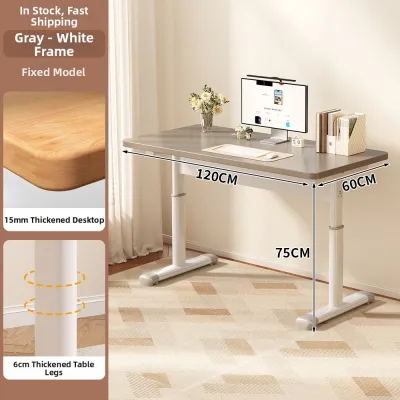
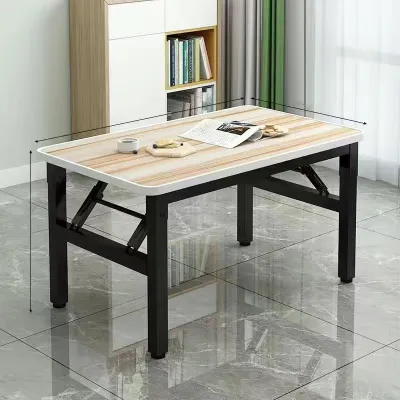


Prices are valid at publication and may change. Please refer to the product page for the latest price.
In tight rooms or shared apartments, ensure the table does not block doorways, built-in cabinets, or natural walking paths. Consider how the furniture will physically enter your home. Measure narrow hallways, door frames, and elevator doors if you live in a high-rise condominium, as large, non-demountable table parts can easily get stuck during delivery.
Next, identify your equipment footprint by listing every item that must live on your table. A single laptop requires minimal depth, but adding an external monitor, a keyboard, a mouse, and a PC tower changes your spatial needs significantly. If you use a printer, a drawing tablet, or physical documents, map out their physical dimensions to ensure they fit without cluttering your workspace.
Additionally, locate your nearest power outlets before finalizing your desk placement. Routing long extension cords across walking paths creates tripping hazards and looks untidy. Knowing where your power source is helps you plan which direction your table should face and how to route your cables safely.
Finally, evaluate your daily routine to determine your physical needs. Think about whether you sit continuously for eight hours or feel the need to stretch and stand. Consider if you need to pack away your workspace at the end of the day to reclaim your living room, or if you require a permanent, dedicated zone where you can leave multiple screens and documents undisturbed.
Standing Desks: Evaluating Ergonomics and Movement
Standing desks generally come in motorized or manual crank configurations, each offering distinct operational methods. Motorized models provide convenience with programmable height presets, allowing you to transition between sitting and standing at the press of a button. However, they require proximity to a power outlet and involve electrical components that must handle local voltage standards safely. Manual crank models are independent of power sources and often cost less, but they require physical effort to adjust, which may discourage frequent transitions.

When evaluating a height-adjustable table, frame stability at maximum height is a critical factor. A common issue with lower-quality standing desks is lateral wobble when fully extended. When the desk is raised to standing height, any slight movement during typing or writing can cause monitors to shake, leading to eye strain and distraction. Look for heavy steel frames with wide T-style or C-style legs, and check the manufacturer’s specifications for frame weight, as heavier frames generally offer better stability on typical tiled or wooden floors.
Tabletop materials also require scrutiny, especially in humid tropical climates. Engineered woods like MDF or particleboard can swell or warp if exposed to high humidity or accidental liquid spills. Check if the tabletop has a sealed, moisture-resistant laminate finish, or consider solid wood options that are properly treated to withstand environmental changes.
Cable management is another essential consideration for height-adjustable setups. Raising and lowering a table means your cables must move with the tabletop. If cables are too short or tightly bound, they can snag, unplug, or damage your equipment ports when the desk reaches its maximum height. Plan for a cable management tray underneath the tabletop and use flexible cable spines or hook-and-loop wraps to keep cords organized and safe.
This setup is highly suitable for professionals who experience physical discomfort from prolonged sitting and want to alternate positions throughout the day. It is also beneficial for active workers who use under-desk treadmills or balance boards. However, if your work involves highly delicate tasks or heavy, static equipment setups that exceed standard motor capacities, you must carefully calculate your total load before purchasing.
Foldable Tables: Maximizing Flexibility and Space
Foldable tables rely heavily on their moving parts for structural integrity, making the quality of hinges and locking pins paramount. Inspect the locking mechanisms and frame materials to ensure safe and durable daily folding. Look for powder-coated steel frames that resist rust, especially in humid tropical climates where moisture can degrade bare metal. Avoid tables with flimsy plastic locking mechanisms that can crack under pressure or degrade over time.
A foldable table is only practical if it is easy to set up and collapse. Check the product dimensions when folded to ensure it fits inside your closet, behind a sofa, or under a bed. Some models fold completely flat, while others retain a slight profile due to the leg design. If you must move the table between rooms daily, verify the total weight of the unit to ensure you can carry it safely without straining your back.
Because they are designed for portability, foldable tables often have lower weight capacities than permanent desks. Verify the manufacturer’s rated load limit on the product label before placing heavy external monitors or multiple devices on the surface. Ensure the tabletop material—whether high-density polyethylene, engineered wood, or laminate—is thick enough to prevent bowing in the center under the weight of your laptop and accessories.
Consider the surface texture of the foldable table as well. Some utility folding tables have textured plastic tops that make writing difficult and prevent optical computer mice from tracking smoothly. If you choose a model with a textured surface, plan to use a large desk mat or mouse pad to ensure a smooth, functional workspace.
This style is excellent for renters, students, or those living in shared spaces where a dedicated home office is not feasible. It allows you to establish a temporary workspace during office hours and completely reclaim your living area in the evening. It is also a practical secondary table for occasional projects, crafting, or temporary administrative tasks.
L-Shaped Desks: Expanding Surface Area for Multitasking
L-shaped tables are designed to maximize corner spaces, but they require a substantial footprint. Measure both walls of the corner where you plan to place the desk, ensuring there are no obstructions like low windows, electrical outlets, or air conditioning units. Pay close attention to the legroom underneath both wings of the desk. Some designs feature support legs in the inner corner that can restrict your chair’s movement or limit your legroom when turning.
When shopping for an L-shaped desk, check if the configuration is reversible. Some models have a fixed left-hand or right-hand return, meaning you cannot swap the sides during assembly. A reversible design offers greater flexibility, allowing you to reconfigure the desk if you move to a new home or decide to rearrange your room layout in the future.
The unique shape of an L-shaped table allows for versatile screen layouts. You can place your primary monitor directly in the corner angle for an immersive view, or set up a dual-monitor system along one wing while keeping the other wing clear for paperwork, notebooks, or a secondary device. Ensure the depth of each wing is sufficient to maintain a comfortable viewing distance from your screens, typically at least 50 to 60 centimeters.
Due to their size and multi-panel construction, L-shaped tables are heavy and require complex assembly. Verify the package weight and ensure you have assistance during delivery and setup. Because these desks remain stationary and carry significant weight, use felt floor protectors or rubber casters under the legs to prevent scratching your tiles, laminate, or hardwood flooring over time.
This configuration is ideal for power users, including software developers, graphic designers, financial analysts, and gamers who operate multiple monitors and console setups simultaneously. It is also highly beneficial for professionals who manage a mix of digital and physical tasks, allowing them to dedicate one side of the table to computer work and the other side to physical documents, sketching, or equipment testing.
Side-by-Side Comparison Matrix
To help you visualize the differences between these three table types, the following matrix compares their key characteristics based on spatial requirements, setup complexity, and equipment capacity.
| Desk Type | Space Requirement | Setup Complexity | Equipment Capacity | Ideal User Profile |
|---|---|---|---|---|
| Standing Desk | Moderate (requires dedicated floor space) | Moderate to High (motorized assembly) | Moderate to High (check motor limits) | Active professionals seeking ergonomic movement |
| Foldable Table | Low (collapsible and easy to store) | Low (no assembly or quick unfolding) | Low to Moderate (best for laptops) | Renters, students, and multi-purpose room users |
| L-Shaped Desk | High (requires large corner space) | High (multiple panels and heavy frame) | High (supports multiple monitors and gear) | Power users, gamers, and multi-tasking professionals |
Note: Exact dimensions, weight limits, and material specifications vary by model. Always verify these details on the manufacturer’s product label or official store listing before purchasing.
Final Decision Framework: Which Setup Fits You?
Choosing the right table comes down to matching your primary constraints with the strengths of each design. Use the following guidelines to make your final decision:
Choose a standing desk if… you want to integrate physical movement into your workday, have a dedicated, permanent floor space, and require precise ergonomic adjustments to prevent physical fatigue.
Choose a foldable table if… you live in a compact apartment or shared space, need to pack away your workspace daily, or require a highly portable, budget-friendly surface for a single laptop setup.
Choose an L-shaped desk if… you have an unused corner, operate a multi-monitor setup, require a large surface area for physical paperwork alongside your computer, and do not plan to move your furniture frequently.
Verify first if… your floor surface is uneven, as this can cause standing desks to wobble or foldable tables to sit insecurely. If you have exceptionally heavy equipment, check the static load limits of your chosen table. For renters, ensure the assembly and weight of an L-shaped desk comply with your building’s moving policies and do not risk damaging the floors.
Frequently Asked Questions (FAQ)
Can I convert a regular table into a standing desk?
Yes, you can use a tabletop desk converter or riser to add height-adjustable functionality to an existing standard table. Before doing so, verify the weight capacity of your base table to ensure it can support both the weight of the converter itself and your computer equipment. Check that the converter’s base footprint fits entirely on your table surface without overhanging the edges, which could cause tipping.
What weight capacity should I look for in a foldable table?
For a basic laptop, charger, and notebook setup, a foldable table with a verified weight capacity of 15 to 20 kilograms is usually sufficient. If you plan to mount an external monitor arm or place multiple heavy devices on the surface, look for heavy-duty models rated for 50 kilograms or more. Always check the manufacturer’s product label to distinguish between static weight capacity (when the table is still) and dynamic weight capacity (when items are being moved or adjusted).

Community discussion
Share your experience or ask a question. Comments are reviewed before publication.