
Choosing the right computer table for desktop full set configurations requires balancing physical space, equipment weight, and daily comfort. A complete desktop setup—typically consisting of a heavy central processing unit (CPU) tower, one or more large monitors, a keyboard, a mouse, and dedicated audio speakers—demands a highly stable and spacious work surface. The ideal choice depends heavily on your room’s physical layout, the total weight of your hardware, and your personal working style. While an L-shaped desk maximizes corner space and provides expansive surface area, a height-adjustable standing desk promotes physical movement throughout the day, and a foldable desk offers a temporary, space-saving solution for multi-use rooms.
Space and Layout Requirements for a Full PC Setup
To accommodate a full desktop computer setup, you must first evaluate the physical footprint of each desk type and how it interacts with your room’s geometry. An L-shaped desk is designed to tuck neatly into corners, making excellent use of underutilized room areas. This configuration provides two distinct work surfaces, allowing you to place your heavy CPU tower and primary monitor on one side while keeping the other side clear for writing, paperwork, or secondary devices. However, L-shaped desks require a significant, permanent floor area and cannot be easily rearranged once assembled.
In contrast, a standing desk typically features a standard rectangular footprint. While it lacks the secondary wing of an L-shaped model, it offers deep, continuous surface space that is ideal for centering large monitors and maintaining a proper viewing distance. Because standing desks move vertically, you must ensure there is sufficient overhead clearance and that nearby wall fixtures, shelves, or window frames do not obstruct the desk as it rises.
Products mentioned in this guide
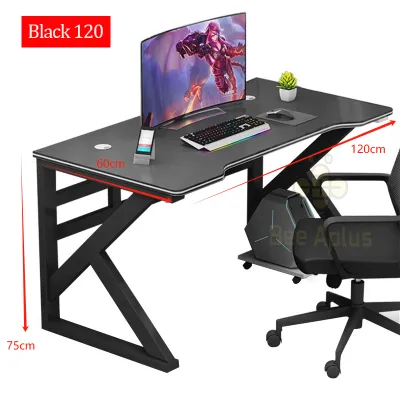

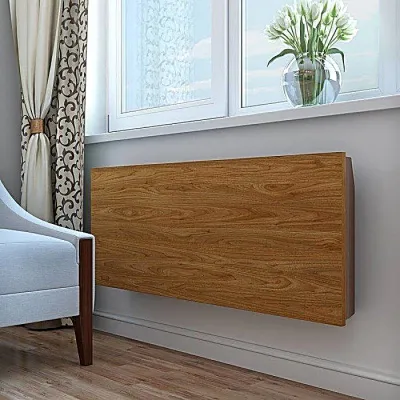
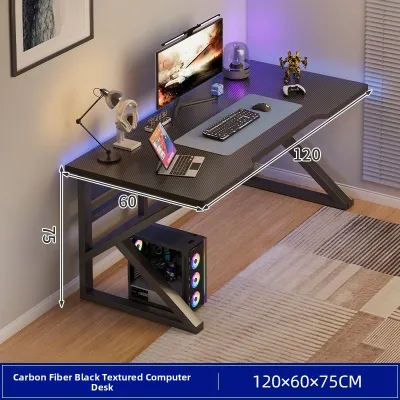
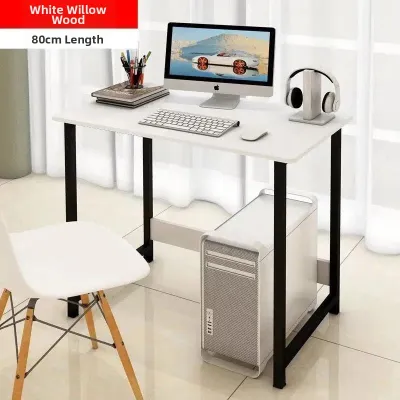
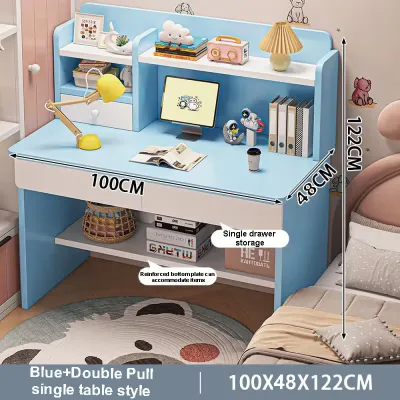
Prices are valid at publication and may change. Please refer to the product page for the latest price.
Foldable desks represent the most compact option, designed for quick assembly and temporary storage. They are highly convenient for small apartments or shared rooms where a permanent workstation is not feasible. However, because they are built to fold away, their surface depth is often limited. This shallower depth can make it difficult to position a large monitor, a full-sized keyboard, and a mousepad without feeling cramped.
Before finalizing any purchase, it is critical to measure your room’s entryways, hallways, and staircases. Many heavy-duty desks, particularly large L-shaped models, are shipped in massive, heavy boxes that can be difficult to maneuver through tight corners or narrow apartment corridors. Additionally, you should carefully check the manufacturer’s specifications for the exact surface dimensions. Ensure the depth is sufficient to keep your monitor at least an arm’s length away from your eyes while leaving ample room for your wrists to rest comfortably in front of your keyboard.
Weight Capacity and Stability for Heavy Gear
A full desktop setup is significantly heavier than a simple laptop arrangement. A high-end CPU tower, dual monitors on a dual-arm mount, external speakers, and various peripherals can easily combine to weigh 20 to 40 kilograms or more. Placing this valuable equipment on an unstable surface risks structural sagging, annoying screen wobble, or even a catastrophic collapse. Therefore, you must verify the desk’s structural integrity before making a decision.

Never assume a desk’s weight capacity based solely on its visual appearance or the materials used in its construction. Instead, locate the manufacturer’s official product label, manual, or online specification sheet to find the certified maximum weight limit. High-quality standing desks and robust L-shaped desks often feature heavy-duty steel frames that can support substantial loads, but you must confirm that this limit comfortably exceeds the combined weight of all your hardware.
Stability is determined by several key design elements. Look for desks that feature thick steel legs, reinforced crossbars connecting the legs, and wide feet that distribute weight evenly across the floor. If your home has uneven flooring, such as slightly misaligned tiles or warped wooden planks, prioritize desks equipped with adjustable leveling feet. These small, screw-in pads allow you to level the desk manually, preventing wobbles that can be amplified when typing or when a motorized desk is in motion. In humid tropical climates, checking the quality of the desk’s protective finish is also essential to prevent moisture damage or warping over time.
Foldable desks require the most scrutiny regarding weight and stability. Because they rely on hinges, locking pins, and lightweight frames to remain portable, their weight thresholds are typically much lower than those of fixed desks. Overloading a foldable desk can stress the moving joints over time, leading to structural fatigue. If you must use a foldable model, verify the weight limits carefully and consider placing your heavy CPU tower on a dedicated floor stand rather than on the desk surface itself.
Cable Management and Ergonomic Adjustability
Managing the extensive wiring of a full desktop setup is essential for both safety and aesthetics. A typical PC setup involves multiple power cables, display cords, USB connections, and speaker wires that can easily tangle or snag. When choosing a desk, look for built-in cable management features such as desktop grommets, under-desk routing trays, or integrated wire channels. These features keep cables organized, prevent them from hanging loose where pets or children might pull them, and reduce the risk of tension damage when a standing desk transitions between heights.
Ergonomics play a vital role in long-term comfort and productivity, especially during extended working or gaming sessions. Height-adjustable standing desks offer a distinct ergonomic advantage by allowing you to transition between sitting and standing positions throughout the day. This movement helps reduce physical fatigue, improves circulation, and relieves pressure on your lower back. When evaluating a standing desk, check its minimum and maximum height range against your personal measurements. Your elbows should rest at a 90-degree angle on the desktop whether you are sitting or standing.
Fixed-height desks, such as standard L-shaped and foldable models, do not offer this on-the-fly adjustability. If you select a fixed-height desk, you must rely entirely on an adjustable office chair, a footrest, or monitor risers to achieve an ergonomic posture. Foldable desks are particularly rigid in their design, often lacking any height customization, which can lead to discomfort if the default height does not align well with your body proportions.
Decision Framework: Which Desk Fits Your Setup?
To choose the right desk for your full desktop setup, you must align the desk’s strengths with your specific space constraints, equipment weight, and daily habits. Each desk type serves a distinct purpose, and selecting the wrong one can lead to physical discomfort or safety hazards for your expensive hardware.
An L-shaped desk is the ideal choice if you have a dedicated corner in your room and prioritize maximum workspace. It is perfect for users who need to separate their heavy PC tower and monitors from their physical paperwork, drawing tablets, or secondary laptops. The corner design provides excellent stability and a massive surface area, making it easy to spread out your gear without feeling restricted.
A standing desk is the best option if you prioritize physical health and want to avoid the negative effects of prolonged sitting. It is highly suitable for a full PC setup, provided you choose a model with a robust dual-motor system and a verified weight capacity that easily accommodates your monitors and CPU. This option requires a clear vertical path and careful cable management to ensure wires do not stretch or unplug when the desk rises.
A foldable desk should only be considered if you operate in a highly constrained, multi-purpose space where the desk must be put away when not in use. Because of their lower weight limits and shallower depths, they are only suitable if your desktop gear is relatively lightweight, or if you are willing to place the heavy CPU tower on the floor. Always verify that the foldable mechanism locks securely before placing any valuable electronics on the surface.
Before making your final decision, create a list of your hardware, estimate its total weight, and measure your available floor space. Compare these requirements directly against the manufacturer’s specifications for the desk model you are considering to ensure a perfect match.
Pre-Purchase Verification Checklist
Before finalizing your purchase on any online marketplace or at a local furniture retailer, go through this practical checklist to ensure a smooth delivery and setup process:
- Measure Your CPU Tower: Check the height, width, and depth of your computer case. Ensure the desk's under-carriage or the floor space beneath it has enough clearance for proper ventilation, or verify if you need a separate rolling floor stand to keep the tower off the ground.
- Map the Delivery Route: Measure the width of your front door, hallway corners, elevator doors, and stairwells. Ensure the boxed dimensions of the desk can easily pass through these areas without damaging your walls or the product packaging.
- Review the Warranty and Return Policy: Look closely at the warranty terms, especially for motorized standing desks. Ensure the warranty covers motor failures, control pad malfunctions, and structural frame defects for a reasonable period. Additionally, verify the seller's return policy in case the desk arrives with shipping damage or missing hardware.
Frequently Asked Questions (FAQ)
Can a foldable desk safely hold a heavy desktop CPU and dual monitors?
Foldable desks are generally designed for portability and light use, meaning their frames and folding joints have lower weight capacities than permanent desks. Placing a heavy desktop CPU, dual monitors, and mounting arms on them is highly risky. The concentrated weight can cause the center of the desk to sag or put excessive stress on the locking hinges. If you must use a foldable desk, it is highly recommended to place your heavy CPU tower on the floor or a separate stand, and ensure the combined weight of your monitors and peripherals remains well below the manufacturer’s stated limit.
Do motorized standing desks wobble when typing on a full keyboard setup?
Some degree of wobble can occur with motorized standing desks, particularly when they are extended to their maximum standing heights. This wobble is influenced by the desk’s frame design, the thickness of the legs, and whether the desk has a stabilizing crossbar. To minimize movement while typing on a full keyboard setup, look for standing desks that feature dual-motor systems, thick steel legs, and sturdy cross-supports. Ensuring the desk’s adjustable leveling feet are properly aligned on a flat floor will also significantly reduce any noticeable swaying or shaking during daily use.

Community discussion
Share your experience or ask a question. Comments are reviewed before publication.