
Quick Answer: Should You Add a Table Extender or Buy a New Desk?
Deciding between a table extender and a new desk depends on your current desk’s structural integrity and your ergonomic needs. If your existing desk is sturdy, made of solid wood or thick composite material, and simply lacks a few centimeters of depth for your keyboard or wrists, a clamp-on table extender is a highly cost-effective and practical upgrade.
However, if your current desk wobbles, suffers from moisture damage, or forces you into an uncomfortable posture that causes back pain, a table extender will not solve the underlying issues. In these cases, investing in a new height-adjustable standing desk, a space-saving foldable desk, or a spacious L-shaped desk is the better long-term decision for your health and productivity.
Signs Your Current Desk Just Needs a Table Extender
Before spending money on a brand-new piece of furniture, evaluate whether your current desk has a strong foundation. Many high-quality desks are structurally excellent but simply lack the surface depth required for modern work-from-home setups. If your desk frame is made of heavy-duty steel or solid hardwood, it can easily handle the additional leverage of an extension panel.
Products mentioned in this guide
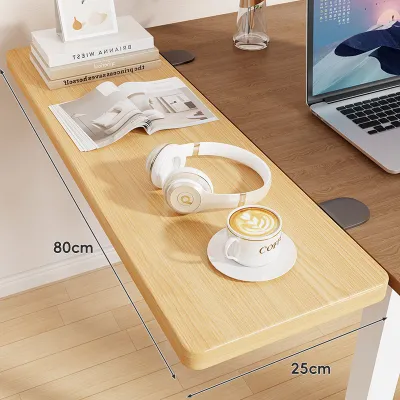
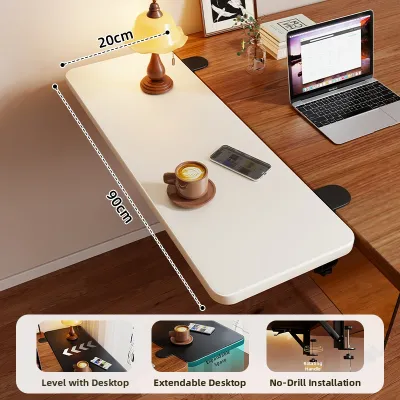
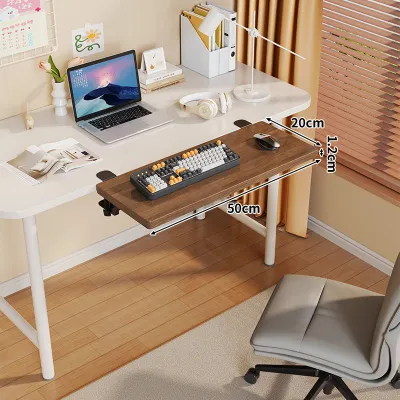
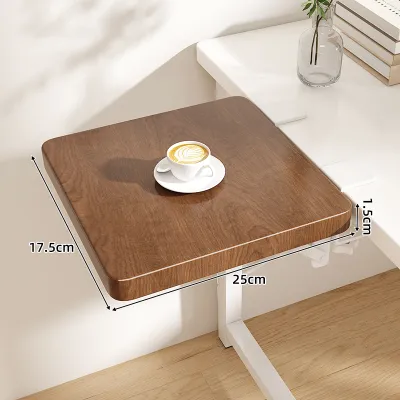
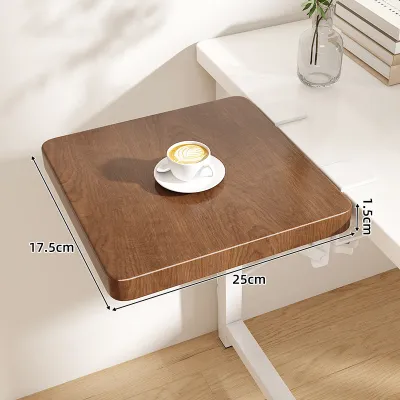
Prices are valid at publication and may change. Please refer to the product page for the latest price.

To test this, gently shake your desk from side to side and front to back. If there is minimal movement and the legs remain firmly planted on the floor, the frame is stable enough to support an extender. A stable base ensures that when you rest your arms on the extended surface, the desk will not tip forward or wobble while you type.
Another sign that you only need an extender is a minor space deficit. If your computer monitor sits too close to your face, causing eye strain, adding a 20-to-30 centimeter depth extender can push your keyboard and mouse further back. This simple adjustment allows you to sit at a comfortable viewing distance without needing a completely new, deeper desk.
You must also examine the edge of your tabletop. A table extender requires a flat, square edge with sufficient clearance underneath for the mounting brackets to grip. If your desk has a clean, straight edge and is free of decorative moldings or steep bevels, a clamp-on extender will attach securely without slipping.
Finally, consider the material of your tabletop. Solid wood, thick plywood, and high-density fiberboard are excellent candidates for extenders. These dense materials can withstand the localized clamping pressure and the downward force of your arms without cracking, bending, or showing signs of structural fatigue over time.
When It Is Time to Replace Your Desk Entirely
There are clear limits to what a table extender can achieve. If your current desk is already showing signs of wear, such as loose joints, stripped screw holes, or a noticeable sag in the middle of the tabletop, adding an extender will accelerate its decline. The extra weight on the edge will place uneven stress on an already compromised frame.
In tropical climates with high humidity, budget desks made of low-grade particleboard can absorb moisture over time. This causes the wood fibers to swell, soften, and lose their structural integrity. If you notice bubbling on the surface or crumbling edges underneath your desk, the material is too weak to hold a clamp-on or screw-in extender safely.
Ergonomics is another critical factor that an extender cannot fix. If your desk is too high or too low, causing you to hunch your shoulders or strain your neck, extending the surface will not improve your posture. A fixed-height desk that forces you to sit in an awkward position for eight hours a day should be replaced with an adjustable model.
Room layout constraints also dictate when a new desk is necessary. If you are trying to squeeze a large workspace into a tight bedroom corner, adding an extender to a standard rectangular desk can block walkways and make the room feel cramped. A dedicated corner desk or an L-shaped desk utilizes the available floor area much more efficiently.
Lastly, consider your overall equipment load. If you plan to upgrade to multiple heavy monitors, studio speakers, and a desktop computer tower, your current small desk may exceed its maximum weight capacity. Upgrading to a heavy-duty desk with a robust frame is essential to protect your expensive electronic equipment from accidental collapses.
How to Measure and Check Compatibility for a Table Extender
To avoid the hassle of returning a product that does not fit, you must take precise measurements of your current desk before purchasing a table extender. Start by measuring the thickness of your tabletop using a standard tape measure. Most clamp-on extenders are designed to fit surfaces between 1.5 centimeters and 8 centimeters thick, so ensure your desk falls within these limits.
Next, look underneath your desk to check for structural obstructions. Many desks feature metal support beams, drawers, or modesty panels running close to the front edge. You need at least 10 centimeters of clear, flat space on the underside of the tabletop for the clamp brackets to sit flush. If a metal beam blocks this area, the clamps will not be able to grip the desk securely.
You must also verify the core material of your desk. If your desk is made of hollow-core board, which features a honeycomb paper interior sandwiched between thin sheets of fiberboard, it is not compatible with standard extenders. The concentrated pressure from a clamp can easily crush the hollow surface, and screws will not find enough solid material to hold securely.
Do not forget to calculate the combined weight limits. Check the manufacturer’s specifications for your current desk to find its maximum weight capacity. Then, subtract the weight of your existing equipment, the weight of the table extender itself, and the weight of your hands and wrists resting on the surface. If the total exceeds the desk’s limit, you risk damaging the frame.
Finally, measure the width of your chair. A table extender that clamps onto the front of your desk will lower the clearance for your armrests and thighs. Ensure that your office chair can still slide comfortably under the extended surface, or that the extender can be folded down 90 degrees when not in use to save space in your room.
Comparing Desk Alternatives: Standing, Foldable, and L-Shaped Options
If you decide that a new desk is the best path forward, you have several distinct styles to choose from, each solving a specific workspace problem. Understanding the strengths of each option will help you select the right model for your daily workflow and room layout.
Standing desks are the gold standard for ergonomic health. These desks allow you to transition smoothly between sitting and standing throughout the day, which helps improve circulation and reduces fatigue. If your budget permits, a motorized standing desk with programmable height presets makes it easy to find your ideal ergonomic position at the touch of a button.
Foldable desks are highly practical for small apartments or shared living spaces. These desks can be set up quickly in the morning and folded flat against a wall or stored under a bed after work. While they may not offer the heavy weight capacity of a permanent desk, they provide a clean, clutter-free solution for laptop users who do not need a massive desktop setup.
L-shaped desks are perfect for power users who require multiple monitors, documents, and devices. By fitting snugly into a corner, an L-shaped desk provides two distinct work zones within arm’s reach. This layout allows you to keep your computer setup on one side while leaving the other side completely clear for writing, reading, or handling physical paperwork.
When choosing between these options, prioritize the finished dimensions of the desk and ensure it can fit through your doorways and stairwells during delivery. Check the manufacturer’s assembly conditions and load capacities to ensure the new desk can safely support your equipment while remaining stable on your flooring.
Frequently Asked Questions (FAQ)
Can I use a table extender on a glass or hollow-core desk?
No, you should not attach a table extender to a glass or hollow-core desk. Glass tabletops are highly susceptible to cracking or shattering under the concentrated clamping pressure of metal brackets, even if you use protective rubber pads. Hollow-core desks lack a solid wood center, meaning clamps can easily crush the thin outer veneer, and screw-in models will not hold. For these materials, it is much safer to upgrade to a new, structurally solid desk.
Will a table extender affect my monitor arm placement?
Yes, a table extender will change how you position your monitor arms. Because an extender pushes your seating position further back, you will need to adjust your monitor arms to bring the screens closer to your eyes for comfortable viewing. You must never clamp a heavy monitor arm directly onto a table extender, as these accessories are not designed to support top-heavy, concentrated loads. Always keep your monitor arms clamped securely to the main, load-bearing desk frame.

Community discussion
Share your experience or ask a question. Comments are reviewed before publication.