
Choosing the right cubicle workstation for your home office is a decision that directly impacts your daily productivity, physical comfort, and overall well-being. In many homes, especially where space is shared with family members and tropical humidity can affect furniture materials, selecting the right desk setup requires careful planning. Whether you are setting up a dedicated corner in a condominium or carving out a temporary workspace in a shared living room, understanding the structural and spatial demands of different desk configurations is essential. By comparing standing, foldable, and L-shaped workstations, you can find a solution that fits both your workflow and your floor plan.
Assessing Your Home Office Space and Workflow Constraints
Before browsing online marketplaces or visiting local furniture showrooms, you must accurately measure your physical environment and map out your daily tasks. Start by measuring the exact floor area where the desk will sit, keeping in mind that you also need clearance for an office chair to roll or slide back comfortably. Do not forget to verify the delivery path. Many high-rise apartments and suburban townhouses have narrow hallways, tight stairwells, or small elevator doors that can block the passage of large, pre-assembled furniture or heavy flat-packs. Checking these entry clearances beforehand prevents the frustration of receiving a package that cannot reach your room.
Your daily workflow dictates the physical size and load capacity your desk must support. If your job involves multiple monitors, a heavy desktop computer, and physical documents, you will require a significantly larger and more stable surface than someone who works solely on a lightweight laptop. Consider your peripheral equipment as well, such as external keyboards, drawing tablets, printers, or desk lamps. Each item adds weight and occupies valuable surface area.
Products mentioned in this guide
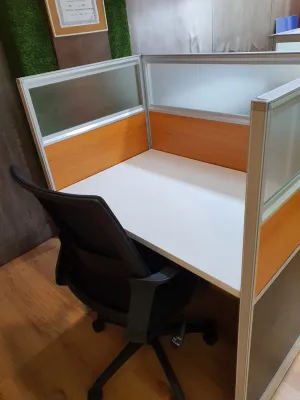
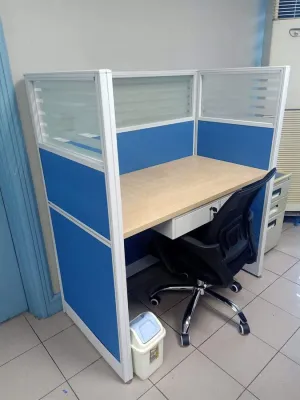
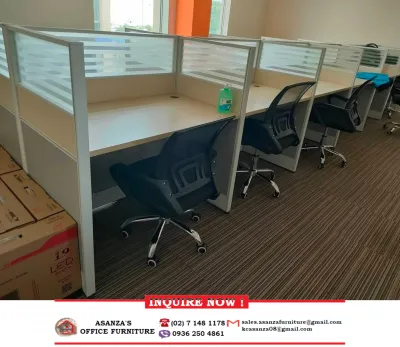
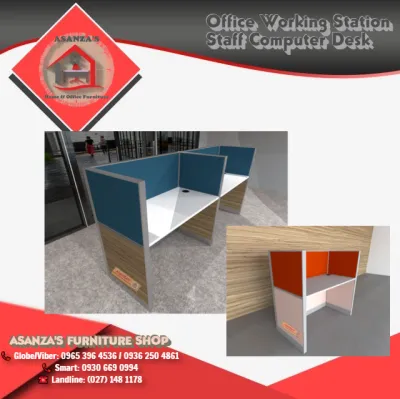
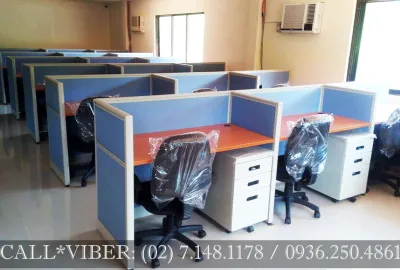

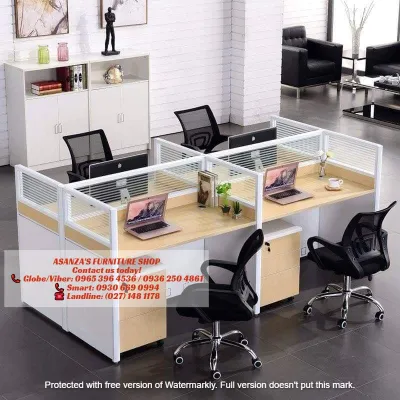
Prices are valid at publication and may change. Please refer to the product page for the latest price.
Physical room constraints in tropical climates also play a major role in your decision. In many homes, workspaces are set up in multi-purpose rooms where the desk must coexist with dining areas or bedrooms. Furthermore, uneven flooring—common in tiled or older concrete homes—can cause desks to wobble, which places extra stress on joints and fasteners. You must also account for the placement of electrical outlets, wall fans, and air conditioning units to ensure your workstation does not block airflow or require hazardous extension cords running across high-traffic walkways.
Standing Cubicle Workstations: Active Work and Vertical Space
Standing cubicle workstations, particularly height-adjustable models, have gained immense popularity for their ergonomic benefits, allowing you to transition between sitting and standing throughout the workday. When evaluating these desks, the primary mechanical choice is between motorized and manual crank lift mechanisms. Motorized desks offer effortless transitions at the push of a button, but they require a nearby power outlet and contain electronic components that must be protected from high humidity and dust. Manual crank desks are highly reliable, independent of power sources, and generally more budget-friendly, though they require physical effort to adjust. Always check the manufacturer’s specified weight capacity, as overloading the desk can strain the motor or strip the manual gears.

Stability is a critical factor, especially when the desk is extended to its maximum height. A desk that feels solid when lowered may wobble or sway when raised, which can disrupt your typing and cause monitor screens to shake. Look for models with heavy steel frames, wide footpads, and sturdy crossbars. In humid environments, ensure the metal frame has a high-quality powder-coated finish to resist rust and corrosion over time.
Cable management is another vital consideration for height-adjustable desks. Because the desktop moves up and down, cables for your computer, monitor, and accessories must have enough slack to prevent snagging, pulling, or disconnecting during transitions. Utilizing flexible cable trays, spine organizers, or adhesive clips underneath the desktop keeps wires organized and safe from damage. Additionally, standing for long periods on hard tile or terrazzo floors can cause fatigue in your feet and lower back. Investing in a supportive anti-fatigue mat is highly recommended. Finally, verify that you have adequate overhead clearance, ensuring your monitors or desk lamps will not collide with wall-mounted shelves, picture frames, or low-hanging light fixtures when the desk is fully raised.
Foldable Cubicle Workstations: Flexibility for Shared or Small Spaces
For those living in compact studio apartments or sharing a room with family, a foldable cubicle workstation offers the ultimate flexibility. These desks are designed to be set up quickly for work and folded flat when the day is done, allowing you to reclaim valuable floor space. However, because these desks rely on moving joints, you must carefully inspect the hinge durability, locking mechanisms, and cross-bracing. Weak hinges or loose locking pins can lead to a frustratingly unstable typing surface. Look for heavy-duty steel hinges and secure locking bars that click firmly into place to prevent accidental collapsing.
The practicality of a foldable desk depends heavily on the daily effort required to set it up and pack it away. If the folding mechanism is overly complex or heavy, you may find yourself leaving the desk permanently open, defeating its primary purpose. Check the folded dimensions of the desk to ensure it can easily slide into a closet, fit behind a door, or slip under a bed when not in use.
While highly convenient, foldable workstations come with distinct trade-offs. They generally offer a much smaller usable surface area compared to permanent desks, limiting you to a laptop and a few basic accessories. Their weight capacity is also significantly lower, meaning they cannot safely support heavy desktop towers, multiple large monitors, or clamp-on monitor arms. Attempting to clamp a heavy monitor arm to a thin, foldable desktop can crack the surface or cause the entire desk to tip forward. If your workflow relies on extensive hardware, a foldable desk is best used as a temporary or secondary workspace rather than your primary setup.
L-Shaped Cubicle Workstations: Maximizing Corners and Multitasking
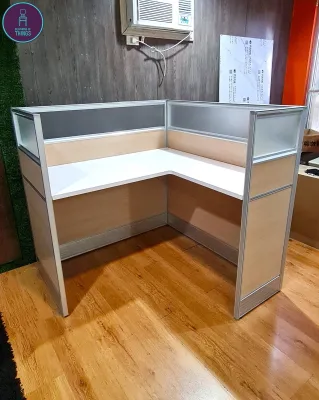
L-shaped cubicle workstations are the traditional powerhouse of productivity, offering expansive surface area and distinct zones for different tasks. By fitting snugly into a corner, an L-shaped desk maximizes floor space that might otherwise go unused. Before purchasing, you must carefully measure the corner angles and the lengths of both adjacent walls. Keep in mind that baseboards can prevent the desk from sitting completely flush against the wall, which might leave small gaps where items can fall. You must also plan around the placement of wall outlets, internet ports, and light switches, ensuring they remain accessible and are not blocked by the desk’s back panels.
The structural integrity of an L-shaped desk is paramount, particularly at the joint where the main desk meets the return section. Check that the desk utilizes heavy-duty joint hardware, metal brackets, and supportive leg placement to prevent the center seam from sagging under the weight of your equipment. Some L-shaped desks feature a modular design, allowing you to assemble the return on either the left or right side, which provides excellent flexibility if you decide to rearrange your room in the future.
While the deep corner of an L-shaped desk is excellent for placing a large monitor, keep in mind that items placed deep in the corner can be difficult to reach without stretching. Organizing your layout so that frequently used items are within arm’s reach along the sides is key to maintaining good ergonomics. Additionally, be prepared for a more complex assembly process. L-shaped desks consist of multiple large panels and numerous fasteners, often requiring two people to assemble safely. Ensure you have the necessary tools, a clear workspace, and sufficient time to complete the installation without rushing.
Feature and Constraint Comparison Matrix
To help you quickly evaluate which configuration aligns with your home office needs, the table below summarizes the key characteristics, spatial requirements, and ideal use cases for each workstation type.
| Workstation Type | Space Footprint | Assembly Complexity | Multitasking Capacity | Ideal Room Type |
|---|---|---|---|---|
| Standing Desk | Moderate (requires vertical clearance) | Medium (motorized parts require care) | Moderate to High (supports dual monitors) | Dedicated home office, bedroom corners |
| Foldable Desk | Low (collapsible and easy to store) | Low (often arrives pre-assembled) | Low (best for single laptop setups) | Shared living rooms, studio apartments |
| L-Shaped Desk | High (requires dedicated corner space) | High (multiple panels and joints) | High (separate zones for computer and paperwork) | Large dedicated offices, spacious corners |
Before finalizing your purchase, always verify critical pre-purchase items. Check the manufacturer’s maximum load limits to ensure your equipment does not exceed the desk’s capacity. If you have delicate flooring, such as hardwood or soft vinyl, consider using floor protection mats or felt pads under the desk legs. For tall standing desks or heavy L-shaped setups, evaluate whether wall-anchoring is necessary to prevent tipping, especially if you live in an area prone to seismic activity or have active pets in the home.
Decision Framework: Choosing Your Ideal Configuration
Making the final decision requires balancing your spatial measurements against your daily workflow habits. Use the following guidelines to select the configuration that best fits your lifestyle:
Choose a Standing Workstation if you prioritize physical movement throughout the day, have stable and level flooring, and can accommodate the vertical clearance required for height transitions. This setup is ideal for professionals who spend long hours in virtual meetings and want to reduce sedentary fatigue without taking up a massive amount of floor space.
Choose a Foldable Workstation if you live in a shared household, need to reclaim your living space at the end of the workday, and work primarily on a laptop. This option is perfect for renters or those in compact apartments who value flexibility and do not require heavy, permanent office equipment.
Choose an L-Shaped Workstation if you have a dedicated corner in your home, require separate physical zones for different tasks (such as a computer zone and a paperwork zone), and need to support heavy hardware. This configuration offers the ultimate setup for intense multitasking, provided you have the space and are prepared for a more involved assembly process.
Before making any commitment, verify your living situation and room conditions. If you are renting your home, check your lease agreement before planning any setups that require drilling into walls for anchoring. If your floors are uneven, look for desks equipped with adjustable leveling feet to ensure a stable, wobble-free work surface. Taking these practical steps ensures your new cubicle workstation becomes a seamless, productive addition to your home.

Community discussion
Share your experience or ask a question. Comments are reviewed before publication.