
Finding the right balance between focus and privacy is a common challenge when setting up a work-from-home (WFH) space. A desk partition offers an effective way to define your workspace, block out household distractions, and create a professional boundary. However, choosing the wrong type can lead to installation headaches, damaged furniture, or a cramped work surface. To find the ideal match, you must evaluate your specific desk design, daily workflow, and space constraints.
If your desk features a straight, unobstructed edge and you require a highly stable, permanent divider, a clamp-on partition is your best option. For those who use multi-purpose surfaces like dining tables, or have desks with curved edges, thick decorative lips, or under-desk obstructions, a freestanding partition provides the necessary flexibility without requiring any physical attachment. If you need a lightweight, highly portable, and temporary privacy screen that can be folded and stored away instantly without consuming deep footprint space, a desktop panel is the most practical choice.
Assessing Your Desk Configuration and Workspace Limits
Before browsing online marketplaces for a desk partition, you must carefully evaluate the physical architecture of your current desk. The first step is to measure the thickness of your desk surface and the depth of any under-desk lip or overhang. Many modern desks, especially budget-friendly options made of engineered wood or thin laminates, may not have the structural integrity to support heavy, edge-mounted accessories. Measuring these dimensions ensures you do not purchase a clamp that is too narrow or a partition that exerts excessive structural stress on a fragile edge.
Products mentioned in this guide
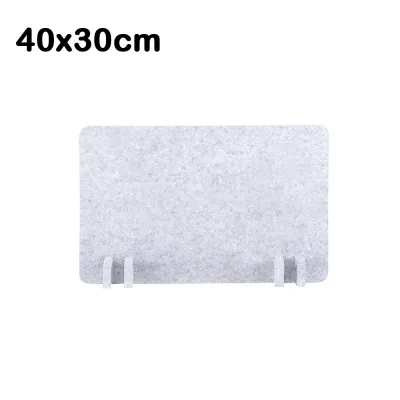
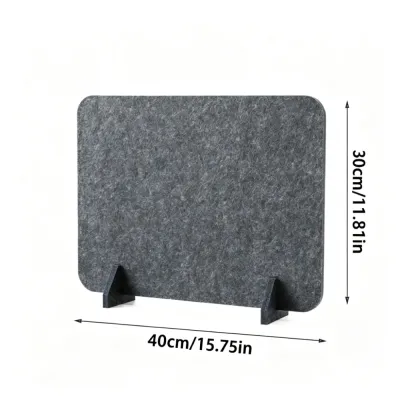
Prices are valid at publication and may change. Please refer to the product page for the latest price.
Next, inspect the underside of your desk for hidden obstructions that could interfere with mounting hardware. Cable management trays, structural metal support beams, drawers, and pre-existing monitor arms often occupy the exact spaces where partition clamps need to secure. If your desk frame runs flush against the outer edge of the desktop, a standard clamp-on model may be impossible to install without modifications. Identifying these obstacles beforehand prevents the frustration of unboxing a product only to find there is no physical clearance to mount it.
Finally, analyze the available surface area of your desktop, particularly its depth. Freestanding partitions and desktop panels rely on wide bases, heavy feet, or folded structures to remain upright, which inevitably consumes valuable workspace. If your desk is shallow—such as a compact 60-centimeter deep writing table—a wide-base freestanding partition might push your keyboard, mouse, and monitor too close to your body. Ensuring your desk has enough depth to accommodate both the partition’s footprint and your essential work tools is critical for maintaining an ergonomic setup.
Clamp-On Desk Partitions: Stability and Permanent Division
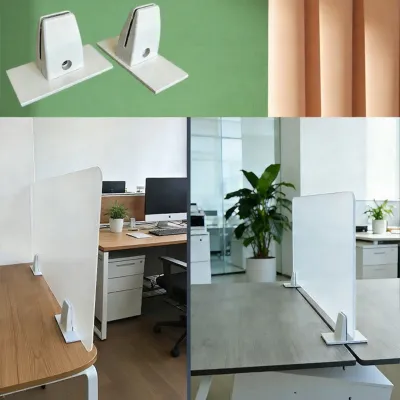
Clamp-on desk partitions are favored for their exceptional stability and clean, space-saving integration. Because they secure directly to the edge of the desk, they do not require wide support feet, leaving your entire desktop surface free for your computer, documents, and accessories. This makes them highly suitable for dedicated home offices where the desk layout remains consistent over long periods. However, their successful installation depends entirely on verifying the manufacturer’s specified edge thickness limits and weight capacities.

When selecting a clamp-on model, you must check the product specifications to ensure the clamp bracket can accommodate your desk’s thickness. Additionally, consider the material of your desk; softwoods, thin particle boards, and hollow-core desks can warp, crack, or crush under the concentrated pressure of a tightened metal clamp. To safeguard your furniture, look for clamp brackets that include protective rubber or felt padding, or plan to insert a small wooden block to distribute the clamping force evenly across the underside of the desk.
Another factor to consider is the relative permanence of an edge-mounted setup. While clamp-on partitions are not permanently screwed into the wood, repositioning or removing them requires loosening heavy metal brackets, which can be physically demanding and time-consuming. If you frequently rearrange your workspace or need to clear your desk for non-work activities, the effort required to detach and store these heavy panels may prove impractical. They are best reserved for dedicated, single-purpose desks where the partition can remain in place indefinitely.
Freestanding Desk Partitions: Flexibility and Shared Spaces
Freestanding desk partitions offer a highly versatile alternative for dynamic households and shared living spaces. These dividers stand independently on the desk surface, supported by weighted T-shaped or flat metal feet, requiring no clamps, screws, or physical attachment to the furniture. This design makes them incredibly easy to position, slide, or remove at a moment’s notice, making them an excellent choice for those who work from a shared dining table or a delicate antique desk that cannot tolerate clamps.
However, because freestanding partitions rely solely on gravity and their base design for stability, you must carefully evaluate their weight and footprint. In busy households with active pets, children, or high-velocity cooling fans common in tropical climates, a lightweight or poorly balanced freestanding partition can easily tip over if bumped. Checking the manufacturer’s specifications for base weight and foot length is essential to ensure the unit remains stable during daily household activity.
The primary trade-off with freestanding models is the loss of usable desk depth. The metal feet or support bases typically extend several centimeters forward and backward from the panel itself. On a shallow desk, these feet can interfere with your keyboard placement, mouse movement, or laptop stand, forcing you to work in a cramped position. Before choosing this style, measure your desk depth and compare it against the physical dimensions of the partition’s support feet to ensure you retain comfortable arm clearance.
Desktop Panels and Privacy Screens: Minimalist and Temporary Solutions
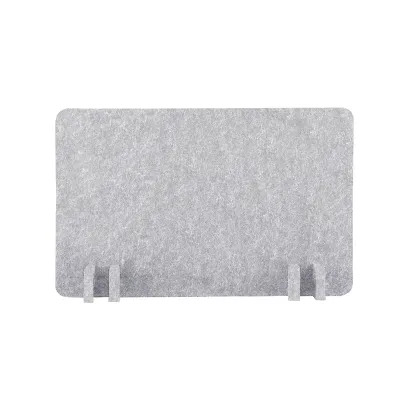
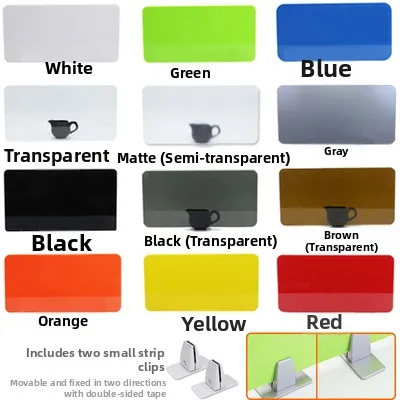
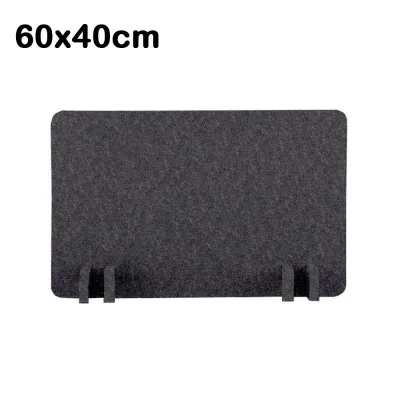
Desktop panels and privacy screens represent the most minimalist, lightweight, and temporary solutions available for home offices. Often constructed from lightweight materials like compressed polyester felt, thin acrylic, or foldable cardboard, these screens are designed for rapid deployment and effortless storage. They are particularly useful for remote workers who must set up a temporary workspace in the morning and completely clear the area by evening to restore the room’s domestic function.
While their lightweight nature makes them highly portable, it also makes them susceptible to environmental disturbances. A strong draft from an air conditioner or a nearby electric fan can easily shift or tip a lightweight, unanchored panel. When evaluating these temporary screens, check for features like non-slip rubberized bottoms, weighted lower edges, or multi-panel folding designs (such as tri-fold panels) that naturally resist tipping by distributing their weight across a wider, angled footprint.
Additionally, you should manage your expectations regarding the level of physical and visual separation these panels provide. Because they are typically shorter and thinner than heavy clamp-on or freestanding dividers, they offer basic visual privacy and a psychological boundary rather than a robust physical barrier. They are ideal for blocking out minor visual distractions in your peripheral vision, but they will not support mounted accessories, heavy paper organizers, or sticky notes in the same way a rigid, structurally sound partition would.
Comparison Matrix: Matching Partition Types to WFH Scenarios
To help you visualize how these three partition types compare across key operational categories, review the comparison matrix below. This table highlights the practical trade-offs of each design to help you match them to your specific work-from-home environment.
| Feature / Metric | Clamp-On Partitions | Freestanding Partitions | Desktop Panels & Screens |
|---|---|---|---|
| Installation Effort | Moderate; requires aligning brackets and tightening clamps | Very low; simply place on the desk surface | Extremely low; unfold or place instantly |
| Desk Space Consumed | Minimal; sits flush on the edge, leaving surface clear | Moderate to high; support feet occupy desk depth | Low; thin footprint but requires flat surface |
| Stability Level | High; physically secured to the desk frame | Moderate; depends on base weight and foot design | Low to moderate; prone to drafts or bumps |
| Portability | Low; requires tools or manual effort to unclamp | High; easily lifted and moved around | Very high; lightweight, often foldable |
| Best WFH Scenario | Dedicated home office desk with a clear, flat edge | Shared dining tables or desks with curved edges | Temporary setups, shallow desks, or daily storage |
| Critical Dealbreaker | Thick decorative lips, glass tops, or under-desk beams | Shallow desks where support feet block keyboard | Strong drafts from fans or need for heavy mounting |
Final Decision Framework: Choosing the Right Desk Partition
To finalize your purchase and ensure you select a partition that integrates seamlessly with your home office, follow this step-by-step decision framework:
Step 1: Verify physical compatibility. Measure your desk’s thickness, edge overhang, and total depth. If you have a glass desk or a desk with a beveled edge, rule out clamp-on models immediately to prevent structural damage.
Step 2: Define your primary workspace goal. If your main objective is to block out visual clutter and create a dedicated mental boundary that you can pack away at 5:00 PM, prioritize a lightweight desktop panel. If you need a permanent, sturdy divider to hold notes or block a constant view of a busy hallway, look toward clamp-on or heavy freestanding options.
Step 3: Check material and care specifications. In humid environments, choose materials that are easy to clean and resistant to moisture buildup. Verify the manufacturer’s cleaning instructions, ensuring the fabric, acrylic, or felt can be wiped down or vacuumed regularly without degrading the material.
Frequently Asked Questions (FAQ)
Can I use a clamp-on partition on a glass desk?
Clamping a partition directly onto a glass desk is generally unsafe and is not recommended unless both the desk and the partition manufacturers explicitly authorize it. The concentrated pressure exerted by metal clamps can easily cause tempered glass to shatter, posing a severe safety hazard and destroying your workspace. If you must use a partition on a glass desk, choose a freestanding model or a lightweight desktop panel that rests gently on the surface without applying mechanical clamping force.
Do desk partitions actually reduce noise in a home office?
Standard desk partitions made of acrylic, wood, or thin plastic are designed primarily to block sightlines and provide visual privacy, meaning they do not significantly reduce ambient household noise. To achieve noticeable acoustic dampening, you must select specialized partitions made of high-density, fabric-wrapped acoustic felt or polyester fiber. When shopping, check the product specifications for a verified Noise Reduction Coefficient (NRC) rating; without this specific rating, a partition will only serve as a visual barrier rather than a sound-absorbing solution.

Community discussion
Share your experience or ask a question. Comments are reviewed before publication.